

Google Review QR Code for Small Business: How to Collect Reviews and Learn What to Improve (2026)
A Google review QR code does more than collect stars. Learn how to set one up with StarFlywheel, place it where it converts, and use the feedback insights to find out exactly what your business needs to improve.
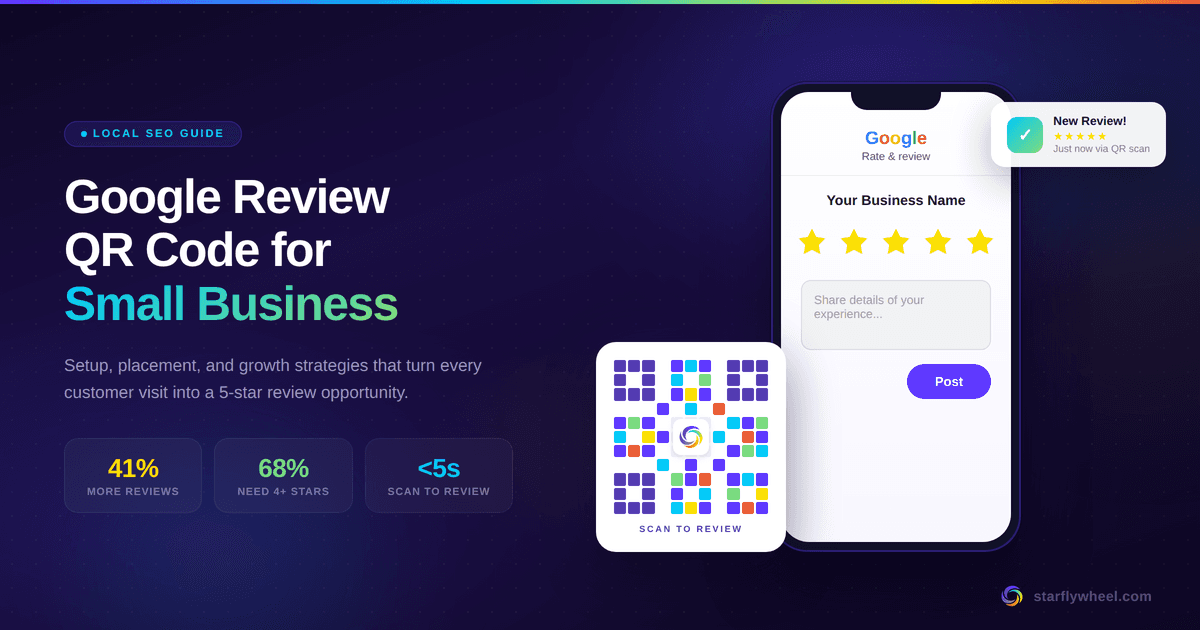
A QR Code That Does More Than Collect Stars
Most guides about Google review QR codes stop at the same advice: generate a code, print it, and hope for reviews. But collecting reviews is only half the value. The other half—the half most small businesses miss—is understanding what those reviews are actually telling you.
When a customer scans a QR code and leaves a review, they're handing you real, unfiltered feedback about your business. They're telling you what they loved, what disappointed them, and what almost stopped them from coming back. The problem is that most QR code setups dump reviews into Google and leave you to figure out the patterns on your own.
That's why we built StarFlywheel differently. Yes, it generates QR codes and review links. But it also gives you a review insights dashboard that tracks keywords, recurring themes, and feedback patterns—so you can see exactly where your business is strong and where you need to improve. Service, wait times, staff, product quality, cleanliness—whatever your customers mention, you'll see it.
This guide walks you through how to set up your Google review QR code with StarFlywheel, where to place it for maximum scans, and—most importantly—how to use the feedback that comes back to grow a better business.
Why Google's Native QR Code Isn't Enough
Google rolled out a built-in QR code generator inside the Google Business Profile dashboard in March 2025, with official documentation following at the end of that year. It's a useful starting point: you log in, navigate to "Get more reviews," and download a basic QR code that links to your review form.
But Google's native QR code has real limitations for a business that wants to grow strategically:
- No scan tracking. You can't see how many people scanned, when they scanned, or which placement drove the most reviews. You're flying blind.
- No customization. The code is a generic black-and-white square. It doesn't match your brand, and it doesn't stand out on a counter or a menu.
- No feedback analysis. Reviews land on your Google profile and that's it. There's no dashboard showing you what customers mention most, whether feedback is improving week over week, or what recurring issues you need to fix.
- Desktop-only generation. As of early 2026, Google's QR code can only be generated from a desktop browser—not from your phone.
For a business that just wants a QR code on a receipt, Google's version is fine. But if you want to understand your business through your customers' eyes and actually use reviews as a growth tool, you need more than a static image file.
How to Set Up Your QR Code with StarFlywheel
Getting started takes a few minutes. Here's the process:
- Create your free account at starflywheel.com/signup. No credit card required—you get a free plan available.
- Connect your business. Add your Google review link or connect your Google Business Profile directly. StarFlywheel walks you through it step by step—no technical skills needed.
- Generate your QR code and review link. Your QR code is created instantly and links directly to your Google review form. You also get a shareable review link for digital channels.
- Download and print. Save your QR code in high resolution for print materials—table tents, receipts, business cards, counter displays.
- Set up email review requests (optional). Use StarFlywheel's built-in email templates to send review requests after a customer visit. The Lite plan includes 200 emails per month.
From there, every scan and every review that comes in feeds into your review insights dashboard, where the real value starts.
Where to Place Your QR Code for Maximum Impact
The QR code only works if customers see it at the right moment—when their experience is fresh and their impression is strongest. Here's where placement consistently drives the highest scan-to-review conversion.
In-Store and On-Site Placements
- Checkout counters and payment terminals. Customers are already paused and waiting. A small stand or table tent next to the register is one of the most reliable placements across all business types.
- Table tents and menus (restaurants and cafes). Diners have natural downtime—while waiting for food, during the check. A table tent that says "Loved your meal? Scan to tell us" captures the moment without interrupting the experience.
- Receipts and invoices. Add the QR code to printed receipts with a short line: "Your feedback helps us improve—scan to leave a quick review." This works especially well for service businesses.
- Exit doors and waiting areas. Customers leaving a salon, clinic, gym, or auto shop are wrapping up a complete experience. Catch them on the way out while it's top of mind.
- Thank-you cards and packaging. A branded card tucked into a shopping bag, takeout container, or delivery box creates a personal moment. Customers opening a package are in a peak-excitement state.
- Business cards. Print the QR code on the back. When you hand the card over after a great interaction, it does double duty—contact info on one side, review opportunity on the other.
Digital Placements
- Post-visit email follow-ups. StarFlywheel's email templates are built for this. Send a review request a few hours after the visit while the experience is vivid. One request plus one gentle follow-up is the sweet spot.
- SMS messages. Text messages have open rates above 90%. Share your StarFlywheel review link directly via text for the highest response rate.
- Email signatures. Every email you send is a passive review opportunity. Add a "Leave us a Google review" line with your link.
- Social media profiles. Customers who follow you on social media already like your business—they just need a nudge. Share the QR code or link periodically.
- Your website. Add a "Review Us" section with the QR code. Visitors already trust you enough to be on your site.
The Real Value: Using Review Insights to Improve Your Business
This is where a StarFlywheel QR code becomes something very different from a generic QR code generator. Every review that comes in through your QR code or review link feeds into StarFlywheel's feedback insights dashboard, which automatically tracks keywords and recurring themes across all your reviews.
Instead of reading reviews one by one and trying to spot patterns yourself, you can see at a glance:
- What customers mention most. Is "friendly staff" your most common praise? Or is "long wait time" a theme that keeps appearing? The dashboard surfaces the keywords and topics that come up again and again.
- What's improving and what's slipping. Track feedback trends week over week. If you made a change—hired a new server, shortened your queue, upgraded a product—you can see whether it's reflected in what customers are saying.
- Where to focus your energy. Small businesses don't have unlimited time or budget. Review insights help you prioritize. If eight reviews this month mention slow service and only two mention parking, you know where to invest first.
- What makes you stand out. Positive patterns are just as valuable. If customers consistently rave about a specific dish, a particular technician, or the atmosphere of your space, that's marketing gold. Double down on what's working and feature it in your promotions.
A Real Example: How Feedback Insights Work in Practice
Imagine you own a neighborhood cafe. You set up a StarFlywheel QR code on every table tent and inside your check presenters. Over the next month, 35 new Google reviews come in—up from your usual 8. Your dashboard shows:
- "Coffee" is your most mentioned keyword, almost always positive.
- "Wait time" appears in 9 reviews, with a negative sentiment trend.
- "Patio seating" is mentioned 6 times, all positive.
- "Pastries" gets mixed feedback—some love them, a few say they're stale.
Now you have actionable intelligence. You know your coffee is a strength to promote. You know the wait time issue is real and worth solving—maybe you adjust staffing during the morning rush. The patio is a selling point you should feature on Google and social media. And the pastry feedback suggests it's time to check your supplier or baking schedule.
None of this requires a marketing degree or expensive consultants. It just requires reviews flowing in consistently—which is exactly what the QR code enables—and a dashboard that makes sense of them.
The Rules: What Google Allows (and What Will Get You Penalized)
Google explicitly encourages businesses to share review links and QR codes. Their official help page recommends putting them on receipts, in thank-you emails, at the end of chat interactions, and as printed displays in your location. Using a tool like StarFlywheel to generate and distribute your QR code is fully compliant with Google's policies.
That said, there are firm boundaries you must respect:
- No incentives. Offering discounts, freebies, or rewards in exchange for a review is classified by Google as fake engagement and is strictly prohibited. Google can remove incentivized reviews and penalize your profile.
- No review gating. You cannot filter who sees your review link based on a satisfaction survey. Every customer should have equal access to leave a review—happy or otherwise.
- Reviews must reflect genuine experiences. Never write reviews yourself, pay for reviews, or have employees write them.
- Ask, don't push. A polite request is welcome. Pressuring customers is not. One ask plus one gentle follow-up is the maximum.
StarFlywheel is designed to work within these guidelines. The QR code and email templates encourage authentic feedback—which is exactly what you want, because honest reviews are the ones that give you real insights into your business.
QR Code Design Tips That Actually Increase Scans
A QR code sitting quietly on a counter won't generate reviews on its own. How it looks and what surrounds it determines whether people scan or walk past.
- Always add a call to action. Never display a bare QR code. Include text like "Scan to leave a Google review" or "Your feedback helps us grow—scan here." People need to know what the code does before they'll pick up their phone.
- Size it right. At least 2×2 inches (5×5 cm) for counter and table displays. Smaller works on business cards but may frustrate customers in low-light conditions.
- Contrast matters. Dark modules on a light background scan reliably on every device. Avoid low-contrast colors or busy, textured backgrounds behind the code.
- Keep it fresh. Faded or worn-out signage signals neglect. Replace printed materials regularly so they look intentional and professional.
- Test before printing. Always scan on at least two different phones (iOS and Android) before committing to a print run. Confirm it lands on the correct review page.
Industry-Specific Strategies
Every business has different customer touchpoints. Here's how to adapt your QR code placement and follow-up strategy to your specific context.
Restaurants and Cafes
Place QR codes on table tents, at the bottom of menus, and inside check presenters. The moment the server drops the check is ideal—diners are wrapping up a meal and have a natural pause. Follow up with email requests for delivery and takeout orders that never saw the table tent. Use your insights dashboard to track which dishes get mentioned most and whether service speed feedback is improving.
Salons, Spas, and Barbershops
Customers can see and feel the results immediately after a treatment. Place the QR code at the checkout desk, on appointment cards, and at station mirrors. Track recurring keywords to find out which stylists get the most praise and whether product recommendations are landing well.
Home Services (HVAC, Plumbing, Electricians)
Leave a branded thank-you card with the QR code after completing a job. Text or email the review link right after—since there's no counter to scan from, digital follow-up converts best. Your feedback insights can reveal whether punctuality, pricing transparency, or cleanup quality are themes you need to address.
Retail Stores
Position the QR code near the register and include it in shopping bags or packaging inserts. For online orders, add a review card inside the package—customers opening a delivery are at peak excitement. Track product mentions and staff interactions to understand what drives repeat visits.
Fitness Studios and Gyms
Place QR codes at the front desk, near water stations, and in locker rooms. After an intense class or a personal training milestone, endorphins make for enthusiastic reviews. Use your insights dashboard to see which instructors and classes generate the most positive feedback.
How Reviews Impact Your Local Search Ranking
Reviews aren't just social proof for potential customers—they're ranking signals for Google. Review volume, velocity (how often new reviews come in), recency, and average rating are all well-established factors in how Google ranks local businesses in map results and "near me" searches.
The BrightLocal 2026 Local Consumer Review Survey found that 41% of consumers now say they "always" read reviews when browsing for local businesses—a sharp increase from the prior year. Meanwhile, 68% of consumers will only consider a business rated four stars or higher.
AI-powered discovery is accelerating this trend. Usage of ChatGPT and similar tools for local business recommendations has grown dramatically, and these tools rely heavily on businesses with strong, recent review profiles to surface recommendations.
Every review collected through your StarFlywheel QR code serves three purposes at once: it's a ranking signal that improves your visibility, a trust signal that convinces the next customer to choose you, and a feedback signal that tells you how to get even better.
Building a Review Flywheel (Not Just a QR Code)
A QR code is the entry point, but the real growth engine is the system around it. We call it the Review Flywheel—a self-reinforcing cycle that compounds over time:
- Deliver a remarkable experience that's genuinely worth talking about.
- Make the ask effortless with a QR code, direct link, and automated email follow-ups through StarFlywheel.
- Respond to every review—positive and negative. Businesses that consistently respond attract significantly more new reviews than those that stay silent.
- Use feedback insights to improve. Track recurring themes in your StarFlywheel dashboard. Act on what customers are telling you—fix the weak spots, amplify the strengths.
- Watch your visibility grow. Fresh, frequent, high-rated reviews improve your local pack ranking, which brings in more customers, who then become reviewers themselves.
Each step feeds the next. Better experiences lead to better reviews. Better reviews lead to more customers. More customers lead to more feedback. More feedback leads to better experiences. That's the flywheel.
Common Mistakes to Avoid
- Treating QR codes as "set and forget." Printing a QR code once and never checking results means you're missing the point. Use StarFlywheel's dashboard to track review velocity and adjust placements based on what's working.
- Ignoring what reviews actually say. A 4.5-star average doesn't tell you much. The words inside the reviews do. If three customers this month mention slow service, that's a signal—act on it before it becomes ten.
- Never responding to reviews. Collecting reviews but staying silent is a missed opportunity. Engagement builds trust with future customers and encourages more reviews from current ones.
- Placing the QR code where nobody looks. A code behind the door or at ankle height won't get scanned. Eye-level placement in high-traffic areas where customers naturally pause is key.
- No call to action. A bare QR code with no context gets ignored. Always tell the customer what it does and why their feedback matters.
- Only asking happy-looking customers. This is review gating, and Google prohibits it. Let every customer decide for themselves. Honest negative feedback is the most valuable kind—it tells you what to fix.
Start This Week: Your 3-Step Action Plan
You don't need to overhaul your entire operation. Start small and build from there:
- Today: Create your free StarFlywheel account, connect your Google Business Profile, and generate your QR code and review link. Test both on your phone.
- This week: Print the QR code on a simple table tent or countertop stand and place it where customers pause—the register, the checkout desk, the waiting area. Send the review link to your last five happy customers via text or email.
- Ongoing: Check your StarFlywheel insights dashboard weekly. Look for recurring keywords and themes. Respond to every new review within 48 hours. Adjust your strategy based on what the feedback is telling you.
The businesses that grow fastest aren't the ones that collect the most reviews—they're the ones that listen to them. A Google review QR code gets the feedback flowing. StarFlywheel helps you understand it and act on it.
Start your free 7-day trial—no credit card required. Plans start at $9/month with unlimited QR code scans, email review requests, and a review insights dashboard built for small business owners.
Ready to grow your reviews?
Start building your review flywheel today. Free plan available, no credit card required.
Start Free