
How to Get More Google Reviews for Your Local Business (2026 Guide)
Master the Review Flywheel — proven strategies, the SMS vs email data, response templates, and what Google's policies actually allow. Updated for 2026.
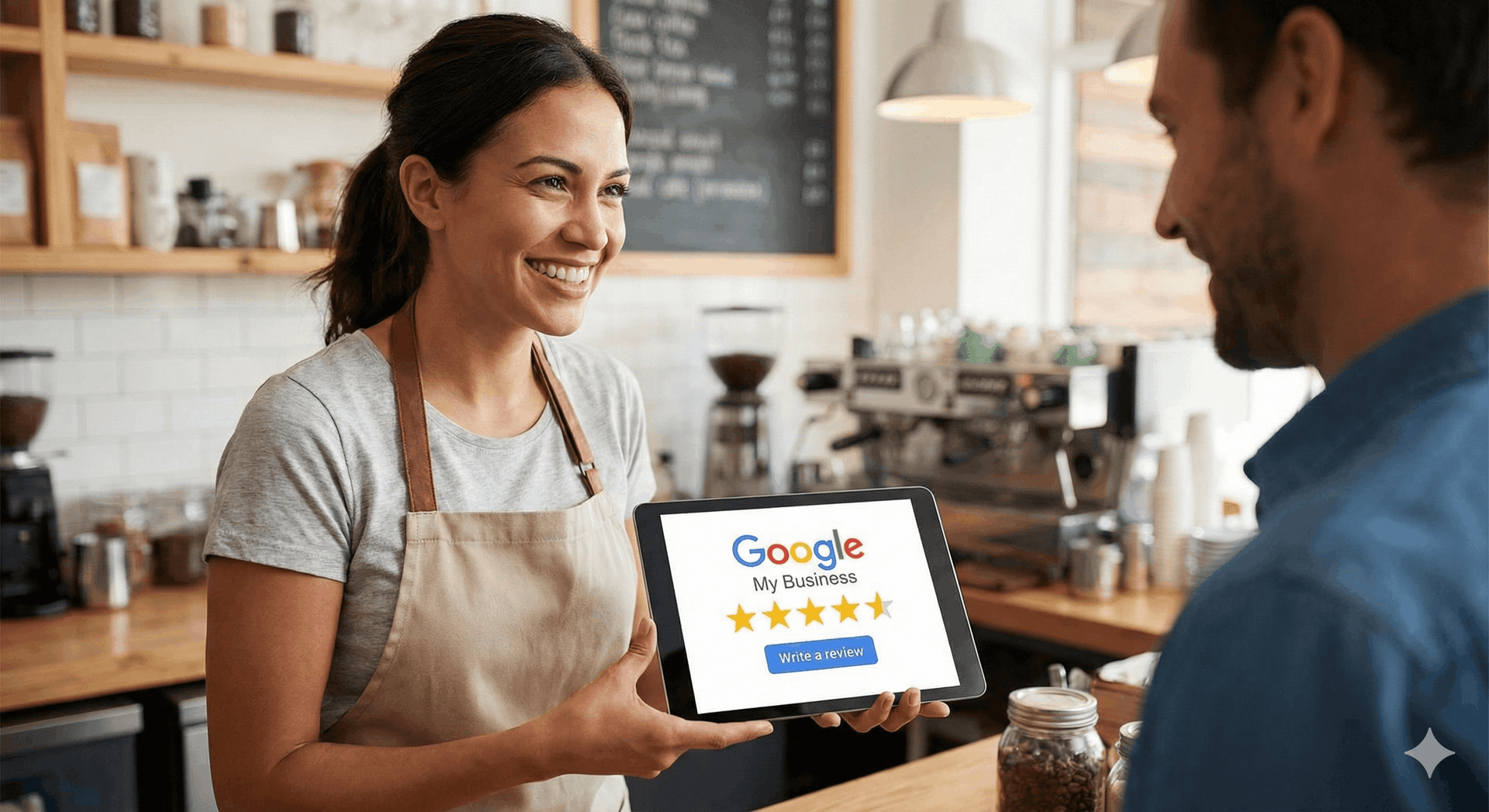
If you run a local business — a restaurant, salon, dental office, auto repair shop, or home services company — Google reviews are no longer a nice-to-have. They're the single biggest signal Google uses to decide who shows up first when someone nearby searches for what you sell. 97% of consumers read reviews before choosing a local business (BrightLocal Local Consumer Review Survey), and 76% of "near me" searches result in a visit within a day (Think with Google). The businesses that win those visits aren't the oldest or the cheapest — they're the ones with the most fresh, high-rated reviews.
This guide is the complete playbook. Eight strategies that actually work, the SMS-vs-email data, what to say in your responses, what Google's policies really allow, and how to put the whole system on autopilot. Whether you have 12 reviews or 1,200, the steps below compound — every review you collect makes the next one easier to earn.
Why Google Reviews Are Local SEO Gold
Google's local pack — the three businesses that show up with a map at the top of the search results page — is where 44% of local searchers click. Getting into that pack is the difference between a phone that rings and a phone that doesn't. Google's local ranking algorithm weighs three factors: relevance (does your business match the search), distance (how close are you to the searcher), and prominence. Of those three, prominence is the only one you can actively grow — and reviews are the largest input.
Specifically, Google looks at four review signals: quantity (how many reviews you have versus competitors), quality (your average star rating), velocity (how recently you've been collecting reviews), and response rate (how often you reply). A business with 200 four-star reviews from the last 90 days will outrank a business with 200 four-star reviews that all came in three years ago. Velocity is everything — and it's also the metric most local businesses ignore.
The other reason reviews matter: trust. 89% of consumers read business responses to reviews before deciding to visit. A page with 100 reviews and zero owner responses signals "absent owner." A page with 100 reviews and thoughtful owner responses signals "this place actually cares." Both pages have the same star rating. They convert at very different rates.
The Review Flywheel — Why Velocity Beats Volume
Most owners think about reviews as a static number — "I have 47 reviews, I want 100." That's the wrong mental model. The right one is a review flywheel: more reviews → higher local rankings → more visibility in "near me" searches → more customers walking in or calling → more reviews. Each turn of the wheel makes the next turn easier.
The implication: you don't need to chase 1,000 reviews this month. You need to consistently collect 10–30 new reviews every month. A steady stream of fresh reviews tells Google you're an active, popular business — and that signal compounds. Businesses that average 20 new reviews per month over 12 months out-rank businesses that got 240 reviews in a single burst and then went silent.
That's why the rest of this guide focuses on systems, not one-off pushes. The goal is to build a process that produces reviews on autopilot, week after week, with minimal effort from you.
8 Strategies That Actually Work in 2026
1. Make the Ask Before They Leave
The single biggest mistake local businesses make: waiting until tomorrow to ask. By then, the customer is back at work, distracted, and the experience has faded. Ask while the satisfaction is still peak — at the table after dessert, at the front desk after the appointment, or the moment the technician finishes the job. Same-day asks have 3–5x the conversion rate of next-day asks.
2. Use QR Codes Everywhere Your Customers Pause
QR codes are the highest-leverage review collection tool ever invented. Print them on table tents, check presenters, business cards, invoices, vehicle magnets, and packaging. The customer scans, lands directly on your Google review form, and writes the review on their own phone — no app, no friction. Businesses using QR codes for review collection see 3x more review submissions than businesses using verbal asks alone, with 40% more keyword mentions in the reviews themselves.
Place them where customers naturally pause: at checkout, on receipts, in waiting rooms, on door hangers after a service call. Every QR placement is a passive review-collection point that runs 24/7.
3. SMS Beats Email for Review Requests
If you're going to send a review request after the visit, send it by text. SMS review requests average a 30–60% click-through rate; email averages 5–10%. The reason is simple: people read texts within minutes and ignore promotional emails for hours. For a review request, urgency wins.
That said, SMS isn't always available — you need the customer's phone number, opt-in consent, and a tool that sends compliant messages. Email is still valuable as a backup channel, especially for businesses with email-based booking systems (dental, salons, fitness). The best setup uses both: SMS first, email as fallback if no response within 48 hours.
4. Get the Timing Right
Send the review request 2–4 hours after the visit, not immediately. Two hours gives the customer time to settle in, finish the meal, drive home — and gives the experience time to register as memorable. Sending the request 5 minutes after they walk out feels presumptuous; sending it three days later means the moment has passed.
For service businesses (plumbing, HVAC, contracting), same-day is critical. The customer's satisfaction is highest in the hours right after the repair. By the next morning, life has moved on.
5. Make It One Tap to Review
The default Google review URL is unforgivably ugly: https://search.google.com/local/writereview?placeid=ChIJ.... No customer is typing that. Use Google's short-link generator (or any QR/short-link tool) to create a clean URL like g.page/r/yourbusiness/review. Better yet, use a review collection tool that generates a one-tap landing page — customer scans, taps the platform they prefer, writes the review, done.
6. Train Every Employee, Not Just the Manager
Reviews collected by the person who delivered the service convert at 2x the rate of reviews requested generically by management. Train your servers, technicians, hygienists, and stylists to ask. Give them a simple script: "If you enjoyed your visit today, would you mind leaving us a quick Google review? Here's a QR code that takes you straight there." No pressure, no script-heavy pitch — just a warm ask from the person who built the relationship.
7. Respond to Every Review — Positive and Negative
Owner responses do three things at once: they signal to Google you're an active business (a ranking factor), they reassure prospective customers reading the reviews, and they turn one-time reviewers into return visitors. Aim to respond within 48 hours, every time.
For positive reviews: short, warm, mention something specific. "Thanks Maria — so glad you loved the carbonara! Hope to see you again soon." For negative reviews: never argue, acknowledge the issue, take it offline. "I'm sorry your experience didn't meet expectations — I'd love to make this right. Could you reach me directly at owner@business.com?"
8. Audit Your Google Business Profile Quarterly
None of the above matters if your Google Business Profile is incomplete. Verify your hours, add 20+ photos, write a complete business description, list your services, and keep your category specific (not "Restaurant" but "Italian Restaurant"). A complete profile gets 2.7x more clicks than an incomplete one — and reviews compound on top of that traffic.
SMS vs. Email — Which Works Better?
The data favors SMS for almost every local business use case, but the right answer depends on your customer base. SMS has an industry-average click-through of 30–60% and a review-completion rate of 15–25% per send. Email lands at 5–10% click-through and 2–5% completion. Per dollar spent, SMS produces roughly 4–6x more reviews.
The exceptions: customer bases where email is the primary channel (B2B services, some professional services), regulatory environments where SMS opt-in is restrictive (healthcare in some jurisdictions), and very price-sensitive businesses where SMS-per-message costs erode the ROI. In those cases, lead with email and reserve SMS for high-value customers or post-visit moments where speed matters most.
The best system uses both — and routes based on customer preference, time since visit, and channel availability. Smart campaigns handle this routing automatically.
How to Respond to Negative Reviews
A negative review feels personal. Respond like a professional. The four-step formula:
1. Acknowledge. Open with empathy, not defense. "I'm sorry your visit didn't meet expectations." Even if you disagree with the customer's account, acknowledge the feeling. Other readers will see this response — and it tells them you're a business that listens.
2. Take responsibility for the part you own. Don't argue facts in public. If part of the complaint is fair, own it. "You're right that our wait time was longer than usual on Saturday — we were short-staffed and I take responsibility for that."
3. Offer a path forward, off-platform. "Could you reach me directly at owner@business.com? I'd like to make this right." This signals to other readers that the issue has a resolution path, without you negotiating the details publicly.
4. Don't apologize for things that aren't real problems. If a reviewer complains your prices are too high, don't apologize for charging them. Acknowledge their feedback, restate your value, move on.
What to never do: argue, name-call, accuse the reviewer of being a competitor, or threaten legal action. Public review fights have killed more local businesses than the original bad reviews ever did.
What Google's Policies Actually Say
Many owners avoid asking for reviews because they're worried about violating Google's terms. Here's the actual line: asking customers for honest reviews is allowed and encouraged. What's not allowed:
- Incentivized reviews. Don't offer discounts, free items, or any reward in exchange for a review. This is the fastest way to get your reviews removed and your profile flagged.
- Review gating. Don't filter customers — for example, asking happy customers to review on Google while sending unhappy customers to an internal feedback form. Google's policy explicitly prohibits this practice.
- Fake or fabricated reviews. Don't write reviews of your own business. Don't have employees, friends, or family who haven't been customers leave reviews. Google's algorithm and policy team are remarkably good at detecting these.
- Soliciting reviews from non-customers. Reviews must come from people who actually had a service or visit experience.
What is allowed: in-person asks, QR codes, SMS and email follow-ups, owner responses, review request templates, and review collection software (as long as the software doesn't gate reviews or filter sentiment). For the full list of what Google does and doesn't permit, see Google's prohibited and restricted content policy. Removing reviews that genuinely violate policy is a separate process — Google has a flagging system for off-topic, fake, or harassing reviews.
Putting the Flywheel on Autopilot
Doing all of this manually — training staff, sending texts, designing QR codes, responding to reviews, monitoring Google's policies — is a part-time job. It's why most local businesses pick two or three of these tactics and let the rest slide. The flywheel never spins.
The fix is a system that handles the routine work in the background. StarFlywheel's review management platform sends review requests by SMS and email automatically after every visit, generates QR codes you can print or display, drafts owner responses for you to approve in seconds, and tracks your review velocity week-over-week so you know whether the wheel is actually accelerating. It works for restaurants, salons, dental practices, auto repair shops, fitness studios, and home services — starting at $0/month with the free plan.
The point isn't to replace the human side of asking — your servers and technicians still matter — it's to make sure no review opportunity falls through the cracks because you got busy. A consistent process that asks every customer, every visit, will out-collect heroic-but-inconsistent effort every single time.
Start Growing Your Google Reviews Today
The compounding effect of fresh reviews is the closest thing to a free growth hack local businesses have. The businesses that win their "near me" searches in 2026 won't be the ones with the biggest ad budgets — they'll be the ones with the most active review flywheels. The work is straightforward, the playbook is proven, and the tools to automate the heavy lifting cost less than a single dinner check.
The next review you collect is the one that nudges you above the competitor across the street. Start with one tactic from the list — QR codes at checkout, or SMS follow-ups on the same day — and add another every two weeks. By the end of the quarter, the flywheel will be turning on its own.
Ready to put your reviews on autopilot? StarFlywheel grows your reviews on Google, Yelp, Facebook & OpenTable from one dashboard — starting at $0/month. Start free — no credit card, or see the full pricing.
Want more on this topic? Read our guides on getting more Yelp reviews, why reviews are local SEO infrastructure in 2026, and choosing the right review management software. Or jump straight to the platform built for your industry: restaurants, dental practices, home services, salons, fitness studios, or auto repair shops.
Ready to grow your reviews?
Start building your review flywheel today. Free plan available, no credit card required.
Start Free