

How to Remove Fake Google Reviews (and What to Do When Google Won't)
How to tell a fake review from a harsh one, how Google's report and one-time appeal work, Google's new extortion form, the FTC fake-review rule, 2026 policy changes that can remove your own reviews, and why steady genuine reviews are the real defense.
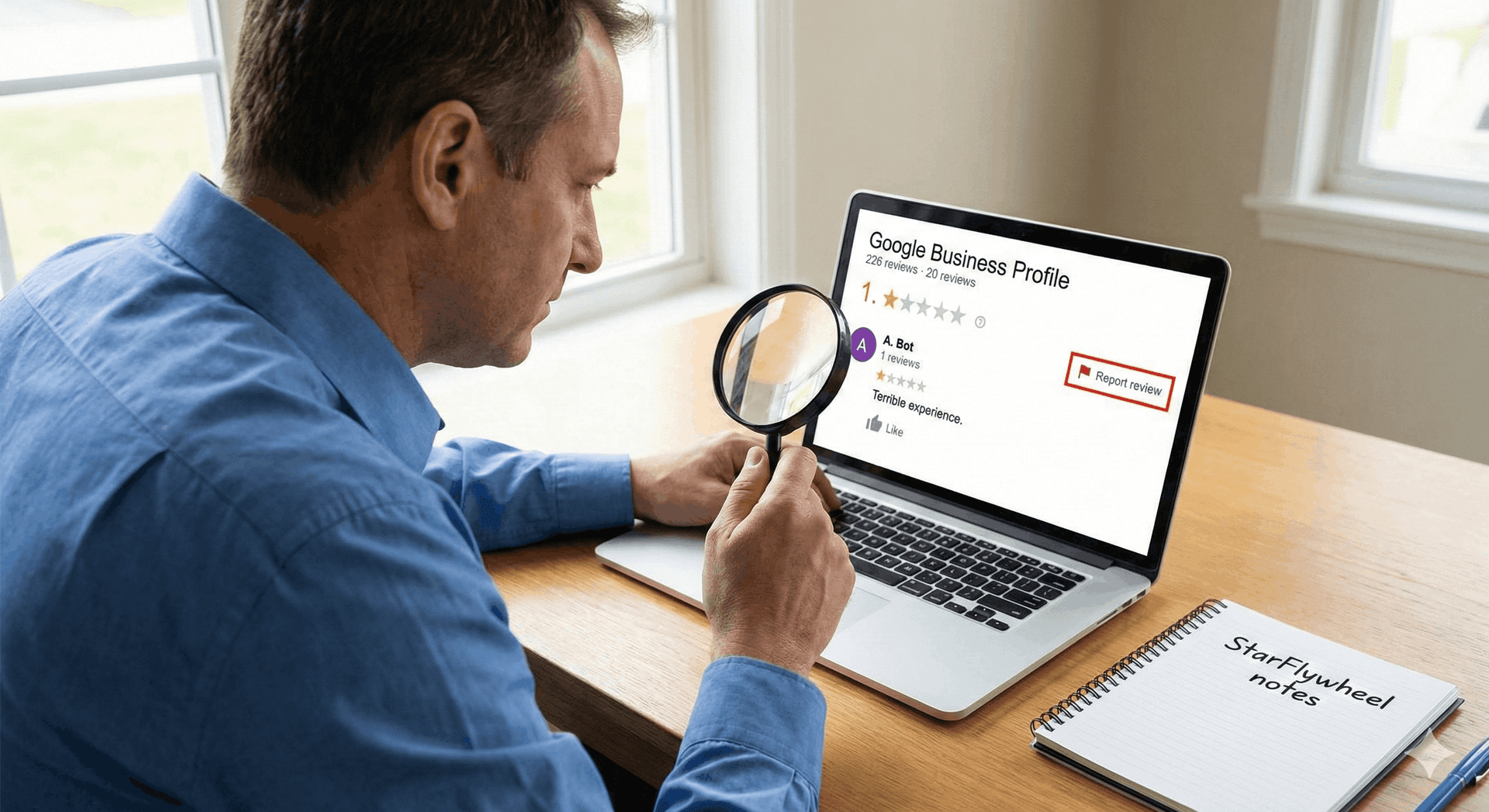
The Monday Morning One-Star
You open Google Maps on Monday and there it is: one star, posted Saturday night, from "Mike R." The review says you overcharged him, the tech was rude, and he will never use you again. You check your job records twice. There is no Mike R., and no Saturday job anywhere near what he describes.
The first instinct is to reply with everything you just found out, or hunt for a "delete" button. Neither helps. Google does not let businesses delete reviews, and an angry reply usually does more damage than the review itself.
What works is slower: check whether the review actually breaks Google's rules, report it under the right category, keep records, respond calmly in public, and make sure one bad review is surrounded by enough real ones that it barely matters. This guide covers each step, including what Google will simply not do. Updated October 2026 with Google's new extortion report form, the latest policy changes, and the FTC's fake-review rule.
What's New in 2026
Several things changed between late 2025 and 2026. Some come straight from Google and the FTC; others have been reported by review-industry watchers but not documented by Google, and we say which is which.
A dedicated form for review extortion
Google now has a help page on review extortion. It describes the pattern as a sudden rise in 1- and 2-star reviews followed by a demand for money, goods, or services to remove them. Google's steps:
- Do not engage or pay. Google warns that paying can invite more attempts and does not guarantee the reviews come down.
- Gather evidence right away: screenshots of every demand (email, messaging apps, social media) with dates, times, and sender details; direct links to the suspicious reviews; any names, usernames, emails, or phone numbers tied to the demands; when the spike started and when the demand arrived; and any earlier attempts.
- Report it through Google's merchant extortion report form, with your contact details, your relationship to the business, the business's name, address, and profile link, details of the reviews, and the extortionist's contact details and methods.
Google investigates and emails you the result, without sharing investigation details. The form is only for actual extortion demands; spam and off-topic reviews still go through the normal reporting flow below.
The "reported to Google" label (reported, not documented)
GatherUp reported that since October 2025 some reviews carry a "Spam & review bombing – reported to Google" tag after the owner reports them, meaning Google has the report but has not ruled yet. GatherUp also noted the tag sitting on some reviews for months. We have not found a Google help page describing it, so treat it as something you may see, not a promised outcome.
Reviewer names you cannot match (also reported)
The same GatherUp roundup reports that, from late 2025, Google stopped requiring real names, so reviews can appear under pseudonyms. The reviewer's profile still lists every review they have left. In practice, "no customer by that name" is weaker evidence than it used to be; lean on the job details, dates, and reviewer history instead.
The FTC rule now has warning letters behind it
The FTC's Consumer Review rule, finalized in August 2024, bans six practices: fake or false reviews and testimonials (including AI-generated ones), buying positive or negative reviews, undisclosed insider reviews, company-controlled "independent" review sites, suppressing reviews through threats or intimidation, and buying or selling fake social media indicators. It lets the FTC seek civil penalties from knowing violators. In December 2025 the FTC warned 10 companies that violations can bring penalties of up to $53,088 per violation. Our explainer on the FTC fake reviews rule goes through each practice.
Policy changes that can remove your own positive reviews
Google's contribution policy says incentivized or biased reviews "will be removed from Maps." Besides incentives and selective asking, it now names practices many businesses still use: asking staff to collect a certain number of reviews (quotas, targets, contests), asking customers or staff for reviews "that include specific content" (a staff member's name, scripted keywords or services), and requiring or pressuring customers to review while on the premises. Any of these can cost you real five-star reviews. Our Google review policy guide for 2026 has the full list and safe wording.
Fake or Just Harsh? Sort It Honestly First
Most one-star reviews are not fake. They come from real customers who had a bad experience, described it unfairly, or exaggerated. Those reviews hurt, but they are not policy violations, and reporting them wastes your time.
Before you report anything, check the review against your own records and against the reviewer's public profile.
Signs a review is probably fake
- No match in your records. You cannot find the job, the date, or anything resembling the situation described. For a service business with booking records and invoices, this is the strongest signal you have. A name you do not recognize counts for less now that reviewers may post under pseudonyms.
- Details that cannot be true. They mention a service you do not offer, a location you do not have, staff who do not exist, or hours when you were closed.
- A strange reviewer history. Tap the reviewer's name. A pattern of one-star reviews for competitors of the same type in different cities, or a burst of reviews for unrelated businesses posted within minutes, is worth noting.
- A cluster. Several negative reviews arrive within a day or two after months of normal activity, often with similar wording or no text at all.
- A motive you can name. A former employee who left on bad terms, or a new competitor down the road. Motive alone proves nothing, but combined with the signals above it matters.
On the other hand, if you can identify the customer or the job, the complaint is about price, waiting time, or communication, and the reviewer has a normal local review history, it is almost certainly real. A real but unfair review is not a removal problem. It is a response problem, and our guide to responding to negative reviews covers it in detail.
What Google's Policy Actually Covers
Google removes reviews that break its contribution policy for maps and reviews, not reviews that are negative or that you disagree with. The policy is published in Google's help center and is worth reading once in full, because the category you choose when reporting matters. In broad terms, the categories that come up for local businesses are:
- Spam and fake content. Reviews that do not reflect a real experience, posted from multiple accounts, or posted to manipulate a rating. This is the category for "this person was never a customer."
- Off-topic content. Reviews about something other than an experience with the business: political rants, news events, complaints about a different company.
- Conflict of interest. Reviews from competitors, current or former employees, or the owner reviewing their own business. A former employee's one-star falls here.
- Offensive, harassing, or hateful content. Profanity, threats, personal attacks, and discriminatory language.
- Personal information. A review that publishes someone's phone number, home address, or similar private details, including a staff member's.
- Illegal, sexually explicit, or dangerous content. Less common for service businesses, but covered.
Google's rules against incentives and selective asking cut both ways: Google can remove reviews it believes were bought or gated, including positive ones on your own profile.
How to Report a Review
Google's interface changes often, so labels may differ from what you see, but the flow has been stable in shape for years.
Step 1: Report the review from your Business Profile
Google's help page on reporting reviews describes two routes: from your Business Profile (open your reviews, select the report option next to the review, choose a reason) or from the Reviews Management Tool. Sign in with the account that manages the profile. Choose the policy category that fits best. If you are not sure, pick the one that matches your strongest evidence: "never a customer" points to spam or fake content, "former employee" points to conflict of interest.
Report each problem review individually. If you have a cluster, report every review in it, not just the worst one.
Step 2: Track it in the Reviews Management Tool
The same tool shows each reported review's status. "Decision pending" means Google has not evaluated it yet. "Report reviewed – no policy violation" means Google kept it up, and you can appeal. "Escalated – check your email for updates" means an appeal is under review and the final decision will arrive by email.
Step 3: Appeal once, with evidence
Google offers a one-time appeal for reported reviews it decided not to remove, and you can include up to 10 reviews in one appeal. Make it count. An appeal that says "this is fake" will get the same answer. An appeal that says "we have no booking, invoice, or call record matching this job in the last 18 months, and the service described is one we do not offer" gives a reviewer something to work with.
Extortion has its own route, covered in What's New in 2026 above. Do not use the extortion form for ordinary fake or off-topic reviews.
How Long It Takes, Honestly
Google's help page says review evaluation "typically takes several days," and it gives no timeline for appeals. In practice, some reports are handled within days, some take weeks, some never visibly get a decision, and some reviews simply disappear because Google's automated systems caught them.
Plan on the assumption that the review will stay up for a while, and possibly for good. That shapes what you do next.
What Google Will Not Remove
Going in with realistic expectations saves a lot of frustration. Google generally will not remove a review because:
- It is negative, or you think it is unfair or exaggerated.
- It dropped your average rating.
- The customer's version of events differs from yours. Google does not adjudicate disputes about what happened at a job.
- The reviewer uses a nickname, the review is old, or it is a star rating with no text.
If your report is really about one of these, skip the report and write a good reply instead.
Responding Publicly While a Removal Is Pending
Should you reply to a review you have reported? Usually yes. Future customers will read that review before Google acts on it, and a calm reply is the only thing on the page you control. A reply does not stop Google from removing the review later.
The reply is for those future readers, not for the reviewer. Keep it short, factual, and free of accusations:
"We take every review seriously, and we have looked for this visit in our records but cannot find a job matching this description. If you were a customer, please call us at [phone] and ask for [name] so we can sort it out directly."
It tells readers you checked, it calls nobody a liar, and it gives a real customer a way to reach you if you are wrong. Avoid "this is a fake review from a competitor," even if you are sure. It reads as defensive, and you might be wrong.
If you write a lot of these, an AI draft can save time on wording. StarFlywheel's AI response drafts (on Standard and above) give you a first version to edit; you then paste it on Google yourself, since the app does not post replies to Google directly. Our guide to AI review responses covers how to keep those drafts sounding like you.
Review Bombing and Extortion
Two situations deserve their own playbook because they move faster than the normal report flow.
Review bombing
A review bomb is a sudden wave of negative reviews, often from people who were never customers, following a viral post, a local news story, or a public dispute. The reviews are frequently off-topic: about something in the news, not a service experience.
Report each review under off-topic or spam, document the timing, and do not reply to each one in the heat of the moment. Google has said it watches for unusual spikes in reviews, so a bomb is often easier to get cleaned up than a single convincing fake.
Review extortion
Extortion usually looks like this: one-star reviews appear, then a message arrives offering to remove them for a payment, or threatening more unless you pay. Sometimes the threat comes first.
Do not pay and do not negotiate. Save every message, then follow Google's three steps in What's New in 2026 above and file through the merchant extortion form. If the messages include threats, a police report creates a paper trail that supports your case.
Document Everything
The business with good records gets further. Keep a simple log for every review you report:
- A screenshot of the review, with the reviewer name, date, and full text visible.
- A screenshot of the reviewer's public profile and review history at that moment, since profiles can change or vanish.
- What you checked in your records: booking system, invoices, call logs, CRM, and the date range you searched.
- The date you reported it, the category you chose, and the outcome.
- Any related messages, emails, or social posts, with timestamps.
Ten minutes per review turns an appeal from "please believe us" into "here is what we found."
When Legal Action Is Worth Considering
This is not legal advice, and the rules vary by state. What follows is a general picture of when owners typically talk to a lawyer.
Most fake or unfair reviews are not worth a lawsuit. Litigation is slow and expensive, and suing over a review can draw far more attention to it than it ever got. In the US, platforms like Google are generally shielded from liability for what users post, so legal action usually targets the author, which first means finding out who that is.
Owners tend to consult an attorney when the content is specific, false, and demonstrably damaging (a false claim of a crime, say), when there is a sustained campaign from someone they can identify, or when extortion is involved. A lawyer who handles defamation in your state can tell you whether a letter, a subpoena, or nothing at all makes sense. Ask about cost and likely outcome first.
One adjacent point: fake reviews are a legal risk in the other direction too. The FTC rule described above covers buying reviews and posting fake ones, so never answer a fake negative with fake positives of your own. It also bars suppressing genuine negative reviews with groundless legal threats or intimidation, so be sure a review is false before a lawyer sends anything.
The Real Defense: Steady, Genuine Reviews
Here is the uncomfortable truth about fake reviews. You can do everything right and still have a fake one-star sitting on your profile for months. What decides whether it matters is everything around it.
A business with 14 reviews and one fake one-star shows a visible dent in its average. A business with 280 reviews, a dozen from the last month, barely notices: the fake is pushed down the page and diluted in the average, and anyone who does see it reads it next to dozens of specific, recent accounts from real people.
That is why the best long-term defense is a steady flow of reviews from real customers. It also matters for ranking: our article on reviews in local SEO explains why recency and volume both count. And BrightLocal's local consumer review survey found that 31% of consumers will only use a business rated 4.5 stars or higher, so a few tenths of a star can decide whether you get the call.
The practical version is simple: ask every customer, at the right moment, with a link that takes them straight to your Google review form. Our guides on getting more Google reviews and the best way to ask customers for reviews cover timing and wording. Ask everyone, not just the customers you expect to be happy. Selective asking breaks Google's rules, and it is the kind of manipulation that gets reviews removed from your profile.
Where StarFlywheel Fits
StarFlywheel does not remove reviews. Nobody outside Google can, whatever they promise. What it helps with is the two things around removal.
Noticing. StarFlywheel pulls your Google reviews into the dashboard on your plan's sync schedule, from monthly on Free and Lite to daily on Pro, and sends a negative-review alert when a sync finds one. On a daily sync, a fake one-star posted Saturday shows up in your dashboard within about a day rather than whenever you happen to check Maps. The feedback analysis also groups review text into themes and keywords, which makes a sudden cluster of similar complaints easier to spot.
Outweighing. Email and SMS review requests, QR codes, and automatic enrollment of new customers into campaigns keep genuine reviews coming from people you actually served (SMS only to customers who gave consent). That steady volume is what makes the occasional fake one-star a footnote instead of a headline.
If your Google profile itself needs work before you start asking for more reviews, start with our Google Business Profile optimization checklist.
Make the next fake review a footnote
StarFlywheel sends customers to the review platforms that matter to you and tracks your Google reviews automatically — free to start, paid plans from $9/month.
Ready to grow your reviews?
Start building your review flywheel today. Free plan available, no credit card required.
Start Free