
How to Get More Google Reviews in Puerto Rico
A guide for small businesses in Puerto Rico: how people search on Google Maps, reviews in Spanish and English, tourists vs. local customers, the map pin, hurricane season, WhatsApp, SMS consent and QR codes.
The Search Starts on a Phone
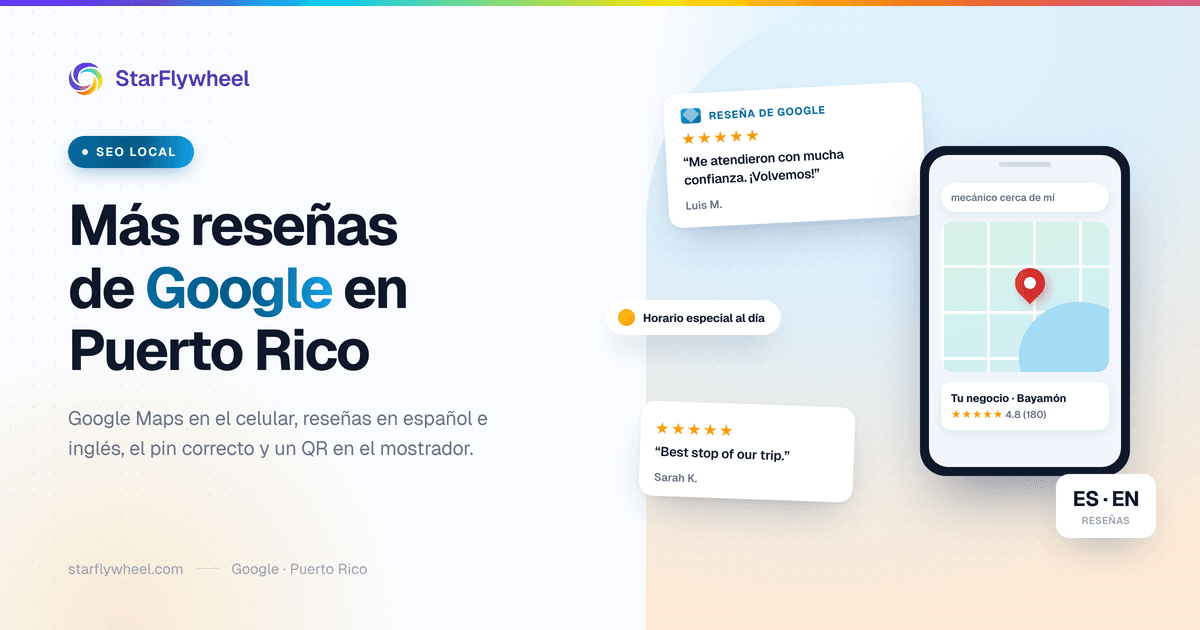
Think about how a new customer finds you. They are driving on PR-2, a warning light comes on, and at the next red light they pull out their phone and search "mecánico cerca de mí." Or it is Saturday, there is a birthday party at four, and someone types "birthday cake Bayamón." Google Maps shows them three or four businesses, each with its stars and a number in parentheses.
That decision takes seconds, and it is almost always made by looking at reviews. A business with 4.7 stars and 180 reviews looks alive; one with 4.9 and six reviews looks like a gamble. So if you run a small business in Puerto Rico, getting more Google reviews is not a marketing luxury. It decides whether you are on the list the customer sees first.
The good news is that Puerto Rican customers talk. They recommend, they comment, they remember who treated them well. What is usually missing is not the good experience but the moment and the way to ask for the review. This guide is built around how that works on the island.
How People Search in Puerto Rico
Google Maps on the phone
A lot of local search happens in Google Maps, not on the regular results page. People open the map, type what they need, and pick from the pins near them. Your Google Business Profile is your storefront there: photos, hours, phone number and, above all, your rating and review count. Our Google Business Profile optimization guide covers every section.
Spanish, English and Spanglish
People search the way they talk. "Pizza cerca de mí," "pizza near me," "car wash en Caguas," "dentista para niños Ponce." Google understands all of these, and part of how it decides whether you are relevant comes from the text of your reviews. A review that says "el mejor car wash de Caguas, me dejaron el carro brillando" helps Google understand what you do and where.
You do not need to force anything. What helps is having your category and description set correctly, and customers writing detailed reviews in whatever language comes naturally to them.
"Near me" depends on where your pin is
"Near me" searches depend on the distance between the customer and your business, and Google calculates that distance from the pin on your profile. If the pin is wrong, you are competing from the wrong place. More on why that happens so often in Puerto Rico below.
Reviews in Spanish and English: Both Count
A review in English counts exactly the same as one in Spanish toward your rating and your review count. There is no reason to ask anyone to write in a particular language; ask them to write however they are comfortable.
The rule for replying is simple: reply in the language of the review. If a visitor from Chicago writes in English, answer in English. If doña Carmen writes in Spanish, answer in Spanish. Google may show automatic translations to some users, but the person who wrote the review will read your reply, and it shows when you answer in their language.
If nobody on your team is comfortable writing in English, prepare two or three well-written base replies and adapt them to each review. A short, correct reply beats a long one full of mistakes.
Tourists and Local Customers
Not every business on the island lives off the same customers. A restaurant in Condado or Old San Juan may depend heavily on visitors; a hardware store in Lares or a salon in Cayey lives on people from town. Each case shifts the approach a little.
If you serve tourists
Visitors almost always search in Google Maps, often in English, and you will not see them again. That means the review has to be asked for before they leave: at the table, at the counter, when they return the rental car or finish the tour. A visible QR code and a friendly ask in the moment do most of the work. A message sent days later, when they are back home, rarely works as well.
If you serve your town
Local customers come back. They know you, they know your family, maybe they went to school with your brother. Here the ask happens with confianza, in person, and it can wait until the second or third visit if the first one did not work out. The upside is that these customers write detailed, warm reviews — the kind that persuade other people from the same town.
Many businesses have a bit of both. You do not need two strategies; you need everyone who walks through your door to have an easy way to leave a review the same day.
Addresses, Urbanizaciones and the Map Pin
Puerto Rico addresses are a well-known headache. "Urb. Villa Carolina, Calle 45, Bloque 12 #8," a kilometer-and-hectometer marker on a highway, a "frente a la panadería," and a ZIP code that sometimes covers several barrios. Google does not always interpret these well, and the result is a pin on the street behind you, in another urbanización, or in the middle of the road.
Check this today:
- Find your business in Google Maps on your phone and look at where the pin lands. If it is not exactly at your entrance, fix it from your Google Business Profile by dragging the marker to the right spot.
- Write the address the way the post office uses it, with the urbanización and street, and add landmarks to your description if needed ("next to the Walgreens," "on the town plaza").
- Ask someone you trust to test directions in Google Maps to your door. If the GPS drops them in the wrong place, it does the same to your customers.
This does not earn reviews by itself, but reviews do little good if the customer who reads them ends up in the wrong place — and writes you a one-star review because of it.
Hurricane Season, Power Outages and Special Hours
From June to November, every business on the island knows it may have to close on short notice. And outages do not wait for hurricane season. When it happens, the costliest mistake is leaving your normal hours on Google: the customer shows up, finds the gate closed, and writes an angry review.
- Use special hours in your Google Business Profile to mark emergency closures or changes. That is what they are for.
- Post a short update on your profile when you reopen: "Open on generator power, regular hours from today."
- If you have a generator or solar panels and can open when others cannot, say so on your profile. During those weeks people search for exactly that.
Those days are review days, too. A business that opened after a storm, that had ice, or that solved something for someone without power earns genuine gratitude. It is not the time to push, but if a customer says "thanks for being open," it is perfectly fine to mention that a Google review helps others know you are operating.
Ask in Person: Confianza Does the Work
Personal relationships carry real weight in Puerto Rico. An automated message from a company is easy to ignore; the person who served you saying "if you liked it, leave us a Google review, it helps us a lot" is something else. It is direct, it is honest, and it costs nobody anything.
A few rules that work:
- Ask at the right moment: when the customer thanks you, when they see the finished work, when they pick up the order and smile.
- Have the person who served them ask. Use the same short, neutral question every time, and don't ask the customer to mention anyone by name: Google's rules forbid requesting reviews that identify a staff member. Many customers will name the person anyway, and those reviews are some of the most convincing.
- Make it easy right then: a QR code within reach, or your direct Google review link ready to send.
- Never offer anything in return. No discounts, no free dessert, no raffle entry. Google prohibits it, and a bought review gets noticed, reported and removed.
- Ask everyone, not only the happy ones. Filtering who you ask based on whether you expect a good review also breaks Google's rules.
Our article on the best way to ask customers for reviews goes deeper on timing and wording.
QR Codes at the Counter
A QR code is probably the most useful tool for a small business on the island, because it turns "oh sure, I'll write it later" into "let me do it now." The customer points their phone camera at it and lands directly on the Google review window.
Put it where customers wait or pay: on the counter, at the register, on the table, on the invoice, on the restroom door of a restaurant, on the door of the service van. A short sign in Spanish (and English if you serve tourists) explains what it is: "¿Te gustó? Déjanos una reseña en Google." Our guide to the Google review QR code covers printing and placement.
WhatsApp: Use It If You Already Chat There
In Puerto Rico, many customers talk to businesses on WhatsApp: to book appointments, confirm orders, send photos of the problem. If that is already your channel with a customer, it is natural for the review ask to go there too.
To be clear: StarFlywheel does not send WhatsApp messages. What you can do is copy your Google review link and send it yourself, by hand, in the conversation you already have with that customer: "Thanks for coming in, Luis! If you have a minute, a review here would really help us: [link]." It is personal, it goes in the chat where they already know you, and it needs nothing else. Do not turn it into mass messages to people who never wrote to you.
SMS and Email: With Consent
For a more systematic ask, email and SMS work well, especially for appointment-based businesses or ones with registered customers. But there are rules, and they apply here just as in the rest of the United States.
The TCPA, the federal law that governs commercial text messages, applies in Puerto Rico. In practice: get the customer's permission to text them before you text them, usually when you take their number, and always include a way to opt out (such as replying STOP). Skipping this is the fastest way to turn a review program into a legal problem.
Our review request templates have email and SMS wording ready to adapt.
Reply to Every Review
Replying tells future customers there is a person behind the business. For good reviews, a short, personal thank-you that mentions something the customer said is enough. Avoid pasting the same line on every review; people notice.
For bad ones, take a breath before you answer. Do not argue in public, acknowledge what needs acknowledging, and offer to sort it out by phone or in person. On an island where everyone knows everyone, far more people read how you answered a complaint than read the complaint itself. Our guide on responding to negative reviews has examples.
Where StarFlywheel Helps
StarFlywheel is built for small businesses and has a Spanish interface. It gives you your Google review link and QR codes, sends email and SMS requests (SMS available in the US, on paid plans) to customers who have given consent, and monitors your Google reviews so you can see them in your dashboard and catch new ones without going looking. On Standard and above, AI drafts a reply that you review and paste into Google.
It does not send WhatsApp messages or post anything for you. The free plan includes one QR code with its printable kit, which is a good starting point for a single-location business.
Start This Week
You do not have to do everything. Check that your pin is in the right place and your hours are current. Put a QR code on the counter. And ask your team, when a customer leaves happy, to ask for the review with confianza — the way they would ask a neighbor.
Your customers already speak well of you in the supermarket line and in the family group chat. They just need to say it where the next customer will read it. To understand why that matters so much to Google, see our article on the importance of reviews in local SEO.
Ready to grow your review count?
StarFlywheel sends customers to the review platforms that matter to you and tracks your Google reviews automatically — free to start, paid plans from $9/month.
Ready to grow your reviews?
Start building your review flywheel today. Free plan available, no credit card required.
Start Free