
Review Request Email & SMS Templates That Actually Work
Nine copy-paste review request templates for email and SMS, the timing that makes them work, and the common mistakes that get requests ignored or your account flagged.
Most Businesses Do Not Have a Review Problem. They Have an Asking Problem.
Ask a hundred owners why they do not have more reviews and you will get a hundred versions of the same two answers: they forget, or they do not know what to say. The second one is what keeps people stuck. Sitting down to write a review request feels like writing a cover letter — there is a vague sense that it should be warm and professional and explain how much you value feedback, and forty minutes later there is a paragraph nobody will read.
The review request message that works is almost insultingly short. Three sentences. One link. No preamble. The reason is simple: your customer is not deciding whether your business deserves a review — they already decided that when they walked out happy. They are deciding whether this is worth thirty seconds right now. Everything in your message either shortens that thirty seconds or lengthens it.
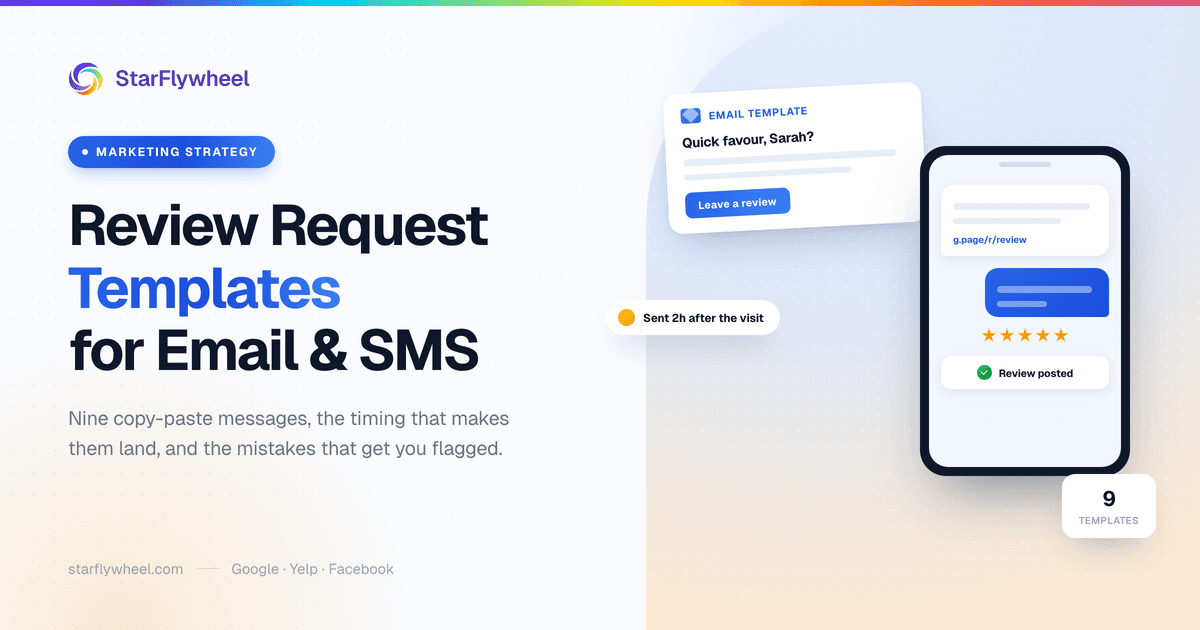
Below are nine templates you can copy today — five for email, four for SMS — plus the part that matters more than any of them.
Timing Beats Wording
The best-written request in the world fails if it lands at the wrong moment, and a mediocre one succeeds if it lands at the right one. There is a window after every transaction where the customer still feels how the experience went. Before it, they have not formed an opinion. After it, the feeling has faded into ordinary life.
That window is different for every industry, and it is shorter than most owners assume.
- Restaurants — 2 to 3 hours after the visit. Long enough to be home, short enough that they still remember the meal specifically rather than generally.
- Dental and medical — 2 to 4 hours after the appointment. After the numbness wears off and before the day absorbs it. Never while they are still in the chair.
- Home services — same day, after the job is finished. Ideally within a couple of hours of your team packing up, while the fixed thing is still visibly fixed.
- Salons and spas — 1 to 2 hours after the appointment. After they have checked the mirror twice and had someone at work say something nice.
- Gyms and studios — after the third visit, not the first. A first-timer has nothing to say yet. A third-timer has decided to come back, which is exactly the person whose review is worth having.
If you take one thing from this article, take this: fix your timing before you polish your wording. Our guide to the best way to ask customers for reviews goes deeper on the psychology of the window, and our guide on how to get more Google reviews covers the rest of a Google-first program.
Five Email Templates
Keep every one of these under a hundred words. Replace the bracketed parts with real specifics — the actual service, the actual date. Specificity is what separates a message that feels sent from one that feels written.
1. The Simple Ask
The universal default. Use this if you use nothing else.
Subject: Quick favor, [Name]?
Hi [Name],
Thanks for choosing [Business] for [service] on [date]. If we did right by you, would you mind leaving a quick Google review? It takes about thirty seconds and it genuinely helps other people in [town] find us.
[Review link]
Thank you,
[Your name]
2. The Gratitude Email
Thank first, ask second. Best for higher-value or longer relationships, where jumping straight to the ask would feel transactional.
Subject: Thank you from everyone at [Business]
Hi [Name],
I wanted to say thank you for trusting us with [project/service]. Customers like you are the reason we are still here after [X] years, and the team genuinely enjoyed working on it.
If you have a moment, a short review would help other people find us — but no pressure either way.
[Review link]
Warmly,
[Your name]
3. The "How Did We Do?" Email
A soft ask that gives unhappy customers somewhere to go that is not your public profile. Note carefully how this is worded — you are giving everyone the review link and offering a private channel as well, not routing people based on their answer. More on why that distinction matters below.
Subject: How did we do, [Name]?
Hi [Name],
We finished up [service] on [date] and I wanted to check that everything met the mark.
If it did, a quick review helps other people find us: [Review link]
If anything fell short, reply to this email or call me at [phone] and I will put it right.
Thanks,
[Your name]
4. The Post-Purchase Follow-Up
For retail and e-commerce, where the meaningful moment is delivery, not checkout. Send it a few days after arrival — long enough to have used the thing.
Subject: How is your [product] working out?
Hi [Name],
Your [product] should have arrived about a week ago — I hope it is working out well.
If you are happy with it, would you leave a quick review? It helps other shoppers know what to expect, and it takes under a minute.
[Review link]
Thanks,
[Your name]
5. The Multi-Platform Ask
Use when you genuinely care about more than one profile. Give people a choice, but lead with the one that matters most to you, because most people click the first link. Leave Yelp out: Yelp does not allow businesses to ask for reviews.
Subject: Would you share your experience?
Hi [Name],
Thanks for visiting [Business] on [date]. If you have thirty seconds, leaving a review on whichever platform you use would really help us out:
Google: [link] · Facebook: [link]
Thanks so much,
[Your name]
Not sure which platform to lead with? Our comparison of Google vs Yelp vs Facebook breaks down where each one actually moves the needle.
A Note on Subject Lines
The best email template in this article cannot survive a subject line that does not get opened, and this is where most review solicitation email attempts quietly die. Three rules cover it.
Keep it under about forty characters. Most people will see your email on a phone, where anything longer is truncated mid-thought. "Quick favor, Sarah?" survives the cut. "We would love to hear about your recent experience with us" does not.
Use their name, not your marketing voice. Subject lines that read like a newsletter get filed like a newsletter. Subject lines that read like a person emailing a person get opened. "How did we do, Sarah?" outperforms "Your feedback matters to us" for the same reason a knock outperforms a billboard.
Say what it is. Curiosity-gap subject lines — "Sarah, one last thing…" — get opened once and resented afterwards. You are asking a favor of someone who likes you; the honest version works better and does not cost you the relationship.
Reliable openers to adapt: "Quick favor, [Name]?" · "How did we do, [Name]?" · "Thanks for [service], [Name]" · "30 seconds, [Name]?" — and avoid anything with "URGENT", excessive punctuation, or the word "FREE", all of which raise your odds of landing in spam rather than the inbox.
Four SMS Templates
Texts get opened at rates email cannot approach, which makes them the highest-converting channel for review requests — and the one where brevity is not optional. Aim to fit in a single message segment once your link is shortened.
Before you send a single text: make sure you have consent from that customer to contact them by SMS. In the United States this is not a nicety, it is the TCPA, and the penalties are per message. Collecting a phone number to book an appointment is not the same as permission to text marketing to it — add a clear opt-in at the point where you collect the number, keep a record of it, and honor STOP replies immediately. Review requests sent without consent are the fastest way to turn a reputation program into a legal problem.
1. The Quick Text
Hi [Name], thanks for visiting [Business]! If we did right by you, a quick review would mean a lot: [link] Reply STOP to opt out.
2. The Personal Touch
Naming the specific service is what stops this reading like a blast.
Hi [Name], it was great seeing you today — hope the [service] is holding up! If you have 30 seconds, a Google review really helps us: [link] — [Your name] at [Business]
3. The QR Code Follow-Up
For businesses running QR codes in-store. This catches the people who meant to scan and did not.
Hi [Name], thanks for coming in! Forgot to scan our review code on the way out? Here is the link instead: [link] Thanks from all of us at [Business].
If you do not have a code up yet, our guide to the Google review QR code for small business covers printing and placement.
4. The Multi-Platform Text
Keep it to two options. Three links in a text is a wall.
Hi [Name], thanks for choosing [Business]! A quick review would help us a lot — Google: [link] or Facebook: [link]. Thank you!
What Separates a Request That Works
Across every template above, the same five things are doing the work.
- Short. Under a hundred words for email, one segment for SMS. Length signals effort required.
- Personal. Use their name and your name. A request from a person outperforms a request from a business.
- Specific. Name the service and the date. It proves this is not a blast and reminds them what they are reviewing.
- One direct link. Link straight to the review form, not to your profile and never to "find us on Google." Every extra tap loses people.
- One call to action. No newsletter signup, no referral program, no social follow. One ask per message.
What to Avoid
Five mistakes account for most failed review programs, and three of them can get you penalized.
Do not beg. "We would be so grateful, it would mean the world, we are a small business struggling" makes people uncomfortable and converts badly. Confident and brief beats pleading.
Do not offer incentives. "Leave a review for 10% off" violates Google and Yelp guidelines and runs into FTC rules on undisclosed compensation. It can get your reviews stripped or your profile penalized. You may reward people for leaving feedback in a private survey; you may not pay for public reviews.
Do not gate your requests. Review gating — surveying people first and sending only the happy ones to your public profile — is explicitly against Google policy and a good way to lose your review history. The "How Did We Do?" template above is deliberately built to stay on the right side of this: everyone gets the same review link, and the private channel is offered in addition, never instead.
Do not tell them what to write. Mentioning the service and date as context is fine; asking the customer to name a staff member, use particular keywords, or mention a service or your city is not. Google's contribution policy, tightened in 2026, prohibits requesting reviews that include specific content, including content that identifies a staff member. Keep the ask neutral and let them say what they want.
Do not send twice. One request, maybe one gentle reminder a few days later if the first went unopened. Beyond that you are not asking, you are nagging, and you are training people to ignore your messages.
Automating the Ask
Every template here works. The reason review programs fail anyway is that remembering to send them is a job nobody owns. On a busy Saturday, the front desk is not going to open a laptop and personalize an email.
This is the entire argument for automation: the ask fires on a trigger — job marked complete, appointment checked out, order delivered — at the interval you set for your industry, with the customer's name and service merged in. Nobody has to remember, and the timing is right every time instead of whenever someone got around to it.
StarFlywheel does this over email and SMS: customers you add or import by CSV are enrolled into your campaign automatically, and SMS consent is tracked per customer so texts only go to people who opted in. And when a request does surface an unhappy customer, our guide on responding to negative reviews covers what to write next — and AI review responses covers drafting replies faster.
Pick Two and Start
Do not build a nine-template system this week. Take the Simple Ask for email and the Quick Text for SMS, set them to fire at the interval for your industry, and run them for a month. That is a genuinely complete review program, and it beats the elaborate one you will not finish.
The businesses with hundreds of reviews are not better writers than you. They just ask every single time.
Automate your review requests with StarFlywheel.
StarFlywheel sends customers to the review platforms that matter to you and tracks your Google reviews automatically — free to start, paid plans from $9/month.
Ready to grow your reviews?
Start building your review flywheel today. Free plan available, no credit card required.
Start Free