

AI Review Responses: How to Reply Faster Without Sounding Like a Robot
What a good review reply does, where AI helps and where it gets things wrong (including privacy for health businesses), a three-step draft-personalize-post workflow, brand voice, red lines, and real before-and-after examples.
The Reply Everyone Can Spot
You have seen it on someone else's Google profile. Twenty reviews in a row, each answered with some version of: "Thank you so much for your wonderful feedback! We truly appreciate you taking the time to share your experience, and we look forward to serving you again soon!"
Nobody wrote that. Or rather, a tool wrote it twenty times, and anyone scrolling the profile can tell. The replies are technically polite and completely empty, and they send a quieter message than the owner intended: nobody here is actually reading these.
AI can make replying to reviews much faster, and for a busy owner that matters. But AI review responses only help if they sound like you, say something true, and never cause a problem a human would have avoided. This guide covers what a good reply does, where AI helps and where it gets things wrong, a simple workflow, and the lines a draft should never cross.
What a Good Reply Actually Does
A review reply has two audiences: the person who wrote the review, and every future customer who reads it. The second group is larger, and it is the one deciding whether to call you.
For a positive review
- Thanks the person by name, briefly.
- Picks up one specific thing they mentioned: the technician, the dish, the fact that you fit them in on a Saturday.
- Adds one small human detail only you would know, if there is one.
- Stops. Two to four sentences is plenty.
For a negative review
- Acknowledges the experience without arguing about it.
- Takes responsibility for what is yours, without a public trial of who was right.
- Moves the conversation offline with a real name and a real way to reach you.
- Shows future readers a calm, reasonable business.
Our full guide to responding to negative reviews walks through this in detail, with templates by industry.
What AI Is Good At
Getting past the blank page
The hardest part of replying is starting. After a long day, staring at a three-star review and composing something gracious from scratch is exactly the task that gets postponed until it never happens. A first draft in a few seconds removes that friction. Editing is much easier than writing.
Tone, especially when you are annoyed
When a review feels unfair, your first draft tends to be defensive. AI has no ego in the matter. Ask it for a calm reply and it will usually produce one, which is often more measured than what you would have typed while irritated.
Catching your own defensiveness
This is an underrated use. Write your own reply, then ask the AI to make it less defensive or shorter. If the result looks very different from what you wrote, that tells you something about your draft.
What AI Gets Wrong
Facts it cannot know
The AI sees the review text and whatever context you give it. It does not know that Maria was off that Tuesday, that the parts were back-ordered, or that you already refunded the customer. Left alone, it will either stay vague or, worse, fill the gap with something plausible and false, such as promising a callback from a manager who does not exist.
Every factual claim in a reply needs to come from you.
Saying the same thing every time
AI tools tend to reach for the same phrases. One reply reads fine; twenty in a row read like a template, because they effectively are. The fix is the personalization step below, not a better tool.
Privacy
This is the one that can actually hurt you. For dental offices, medical practices, med spas, therapists and home-care agencies, even confirming that a reviewer was a patient or client can be a disclosure of protected health information under HIPAA. "We're sorry your crown didn't fit, Mrs. Lopez — Dr. Kim will call you about your follow-up" confirms that she is a patient, what treatment she had and who treated her. Federal regulators have taken action against practices over exactly this kind of reply.
An AI draft will happily do this, because the review mentioned the crown and the draft is trying to be specific. In privacy-sensitive businesses, the rule is the opposite of the rest of this guide: speak about your policies in general terms, never about the person's care, and invite them to call the office. Our guides for dental practices and home-care agencies include privacy-safe reply wording.
A Three-Step Workflow
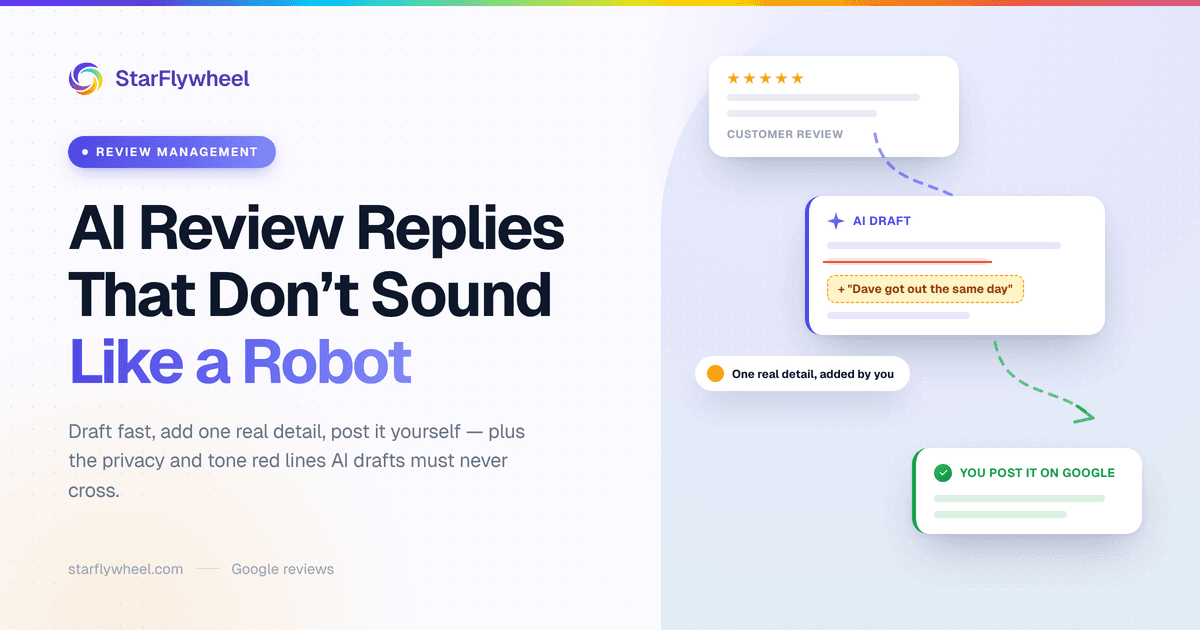
1. Draft
Generate a first draft, and give the AI whatever context it needs. "We fixed the parking issue last week." "The technician was Dave." "Customer already got a refund." The more true context you add, the less it has to guess.
2. Personalize with one specific detail
This is the step that separates a useful reply from an obvious one. Before posting, add or change one thing only a real person at your business would know: the name of the staff member, a reference to their dog that came along to the grooming appointment, the fact that the new Saturday hours started last month.
One detail is enough. It takes thirty seconds and it changes how the whole reply reads. While you are there, delete any phrase you would never say out loud.
3. Post it yourself
Read it once more, then post it on the review platform under your business account. You are the one replying, so the last read is yours.
How This Works in StarFlywheel
StarFlywheel includes AI response drafts on Standard (10 a month), Growth (30 a month) and Pro (100 a month). On any review in your dashboard you can open an AI draft panel, pick a tone (professional, apologetic, friendly or enthusiastic) and add business context such as "We fixed the parking issue last week." The draft appears in a few seconds, and you can refine it with a plain instruction like "make it shorter" or "mention Sunday hours." Refining or regenerating the same review does not use up another draft from your monthly count.
When it reads right, you copy it, and you can save it against the review so your team sees it has been handled. Then you paste it on Google yourself. StarFlywheel does not post replies to Google for you; it is not connected to the Google Business Profile reply API, so the final step is always yours. Given everything above, that is not the worst arrangement.
Growth and Pro also include brand voice settings, covered next.
Teaching the AI Your Brand Voice
Without guidance, an AI writes like a polite stranger. A few minutes of setup gets it much closer to how you actually talk.
In StarFlywheel's brand voice settings (Growth and Pro) you can set:
- A default tone: professional, friendly, casual or formal.
- A short business description, so drafts know what you do and who you serve.
- "Never say" words and phrases. Put the clichés here: "valued customer," "we apologize for any inconvenience," "your feedback is important to us."
- "Always mention" items, used when relevant: your direct line, a satisfaction guarantee, the name of the owner who signs replies.
- A response length: short, medium or long.
Even without a tool, write these down. A one-page voice guide is useful for any staff member who replies to reviews, and it is what keeps several locations sounding like the same business.
Red Lines for AI Drafts
These hold no matter how good the draft looks.
- Never auto-post replies to negative reviews. Every reply to a one-, two- or three-star review gets read by a human before it goes live. A wrong fact or a careless phrase there is public and permanent.
- Never offer an incentive. Not a discount for updating the review, not a gift card for "giving us another chance" in exchange for changing the rating. Google prohibits incentivized reviews, and offering something to change a rating is the same thing.
- Never argue. If a draft explains why the customer is wrong, delete that sentence. Correct a genuine factual error once, calmly, and move on.
- Never confirm a patient or client relationship in a health-related business.
- Never make promises you have not checked. "Our manager will call you today" has to be true.
- Never reply to a suspected fake review as if it were real. Flag it first. Our guide to removing fake Google reviews explains the process.
Bad Drafts vs. Good Replies
A five-star review
Review: "Dave came out same day when our AC died in July. Explained everything, cleaned up after himself. Will use again."
Generic AI draft:
"Thank you so much for your wonderful review! We're thrilled to hear you had a great experience with our team. Customer satisfaction is our top priority, and we look forward to serving you again!"
After personalizing:
"Thanks, Jim! A dead AC in July is no joke, so glad Dave could get out the same day. I'll make sure he sees this. Call us anytime."
The second one is shorter, names Dave, and echoes the detail that mattered to the customer. It took one edit.
A two-star review
Review: "Waited 40 minutes past my appointment time and nobody told me why. Haircut was fine but I won't be back."
Defensive draft (the kind you write when annoyed):
"We're sorry you felt that way, but Saturdays are our busiest day and delays sometimes happen. Our stylists work hard to give every client the time they deserve."
Better:
"You're right, and I'm sorry. Forty minutes is too long, and the bigger miss is that nobody told you what was going on. We've started texting clients when we're running behind. If you'd give us another try, ask for me (Ana) at the front desk."
The better version concedes what is true, says what changed and gives a name. Note that it does not offer a free haircut in exchange for anything.
A review at a dental office
Review: "My filling fell out a week after my appointment. Not happy."
Risky AI draft:
"We're so sorry your filling came loose, Sarah! Dr. Reyes would be happy to replace it at no charge at your next visit."
Privacy-safe:
"Thank you for your feedback. We take every concern about care seriously, and we'd like to talk with you directly. Please call our office manager at [phone] so we can help."
The safe version is blander on purpose. In this kind of business, bland is correct.
Start Small
Pick your last ten unanswered reviews. Draft replies with AI, add one real detail to each, and post them. Check the result against the red lines above. That is about half an hour, and it will tell you quickly whether AI drafts fit your voice or need more brand-voice setup.
The goal is not to reply faster for its own sake. It is to reply to every review, consistently, in a way that sounds like someone who actually runs the place. For more on getting new reviews to reply to, see our review request templates.
Reply to every review, in your own voice
StarFlywheel sends customers to the review platforms that matter to you and tracks your Google reviews automatically — free to start, paid plans from $9/month. AI response drafts start on Standard.
Ready to grow your reviews?
Start building your review flywheel today. Free plan available, no credit card required.
Start Free