

Multi-Location Review Management: A Guide for 2–10 Location Businesses
Why every branch needs its own review program, the four ways multi-location review efforts fail, how to compare locations fairly, who should respond, what Google allows on staff and incentives, and a 30-day rollout plan.
Your Customers Never See "the Company"
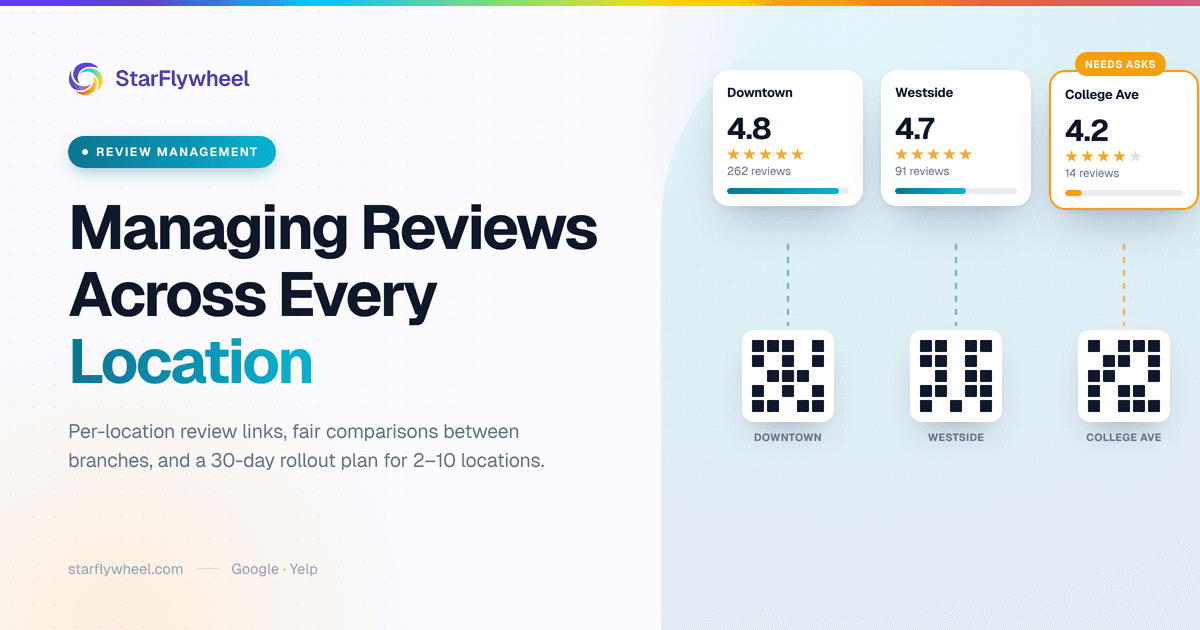
Picture a driving school with three branches. The original one, near the high school, has 260 Google reviews and a 4.8. The second, opened four years ago across town, has 90 and a 4.7. The newest, by the community college, has 14 reviews, a 4.2, and one angry post from a parent about a rescheduled road test that sits right at the top.
The owner thinks of this as one business with a 4.7 average. A parent searching "driving school near me" from the college side of town sees something else entirely: a branch with almost no reviews and a complaint up front. They call the competitor two streets over.
That is the core problem of multi-location review management. Your customers do not experience your company. They experience one branch, one front desk, one set of staff, and they choose by looking at one Google profile. The averages you see in your head are not what anyone else sees.
This guide is for owners running two to ten locations: dental and med-spa groups, salon chains, driving schools with branches, home-care agencies with regional offices, HVAC companies split into territories. It covers how to set each location up properly, how to compare them fairly, who should reply, how to motivate staff without breaking Google's rules, and a 30-day plan to put it all in place.
Why Every Location Needs Its Own Review Program
Each Google profile ranks on its own
Google treats every Business Profile as a separate listing. When someone searches for a salon or an HVAC company, the map results are built from the profiles closest and most relevant to that searcher, and each profile's reviews (how many, how recent, how they rate) feed into that independently. Your flagship's 300 reviews do nothing for the branch eight miles away. Our guide to how reviews affect local SEO covers why volume and recency both matter for the map pack.
So a multi-location business is really several small local businesses that happen to share a logo. Each one has to earn its own reviews.
One weak branch costs more than you think
Customers are already picky about ratings. BrightLocal's Local Consumer Review Survey found that 31% of consumers will only use a business rated 4.5 stars or higher. A branch sitting at 4.2 is quietly invisible to that group, no matter how good the other locations are.
There is a second cost. A weak branch's reviews often describe a management problem rather than a service one: long waits, a rude front desk, a scheduling mess. Those problems are fixable, but only if someone notices them, and in a multi-location business nobody is usually looking at that branch's reviews specifically.
The Four Ways Multi-Location Review Programs Fail
1. One shared link sends everyone to headquarters
This is the most common mistake by a wide margin. Someone set up a review link years ago for the first location, and it got copied into the email signature, the receipt footer, the text template and the counter card at every branch. Every happy customer, wherever they were served, gets sent to the original location's profile.
The flagship ends up with 400 reviews, the newer branches stay stuck at 20, and some of the flagship's reviews describe staff who have never worked there. Check this first. Open the review link your second location actually uses and see which profile it lands on.
2. Nobody owns a location's reviews
When reviews are "everyone's job," they are nobody's. The owner glances at the flagship's profile occasionally, the branch managers assume head office handles it, and a two-star review at the newest location sits unanswered for six weeks.
3. Asking is uneven
One branch manager loves asking for reviews and hands out QR cards with every receipt. Another thinks it is pushy and never does it. Six months later the first branch has three times the reviews of the second, and the owner assumes the second branch is worse. It might be just as good. It just never asks.
4. Comparing raw totals
Ranking branches by total review count rewards the oldest location and punishes the newest. It tells you nothing about which manager is running a good program today.
Setting Up Per-Location Review Links and QR Codes
The fix for most of this is unglamorous: give every location its own review links and make sure every request a customer receives points at the location that actually served them.
Get each location's own Google link
Every location needs its own Google Business Profile, verified, with the correct address, hours and phone. From each profile you can copy that location's review link. Keep a simple list: location name, Google review link, and any other platform you care about for that branch.
In StarFlywheel, each location in Settings → Locations has its own details (address, phone, time zone) and its own set of review links: Google, Yelp, Facebook, OpenTable or a custom URL. You can send customers to any of them. Monitoring is narrower: Google reviews are pulled back into your dashboard on every plan, and Yelp is added on Growth and Pro.
One QR code per location
Print a separate QR code for each branch, pointing at that branch's link, and label it so nobody mixes them up. The counter card at the Westside office should never send people to Downtown. Our guide to the Google review QR code covers printing and placement. Standard includes 5 active QR codes, Growth 10, and Pro 50, which comfortably covers a code per location plus a few for vans, receipts or treatment rooms.
Tie each campaign to a location
Email and text requests need the same discipline. Once an account has two or more locations, StarFlywheel's campaign setup asks which location a campaign belongs to and offers that location's review links to choose from. Run one campaign per location, each pointing at its own profile, so a customer served in the north office is asked to review the north office.
On Growth and Pro you can also save segments, saved audiences such as "customers from the Eastside office" or "patients seen in the last 30 days", and run scheduled campaigns so each branch's requests go out on a set day without anyone remembering. Our introduction to segments shows how they are built.
Comparing Locations Fairly
Once every branch is collecting its own reviews, you can compare them. Do it on four numbers, not one.
| Measure | What it tells you | Watch out for |
|---|---|---|
| New reviews this month | Whether the branch is actually asking | Adjust for customer volume: a busy branch should get more |
| Days since last review | Recency, which searchers notice immediately | A gap of several weeks usually means asking stopped |
| Average rating (last 90 days) | Current service quality | Small numbers swing hard; three reviews are not a trend |
| Response rate | Whether someone owns the profile | Count negative reviews separately; those matter most |
The fairest single comparison is new reviews per hundred customers served. It strips out the size difference between a busy flagship and a quiet new branch, and it measures the thing a manager controls: whether they ask.
In StarFlywheel, you can switch the dashboard between individual locations and "All Locations," and on Growth and Pro the Reports page includes a per-location breakdown of review count and average rating for the period you pick. Response rate you will still want to track by hand per branch, which is a five-minute job in a shared spreadsheet once a month.
Who Responds: Central or Local?
There are two workable models, and the right one depends on your managers.
Central responses
One person, often the owner or an office manager, answers every review for every branch. It keeps the tone consistent and keeps risky replies out of the hands of people who have not been trained. It works well up to a few locations and for businesses where privacy is a serious issue, such as dental groups, med spas and home-care agencies, where a careless reply can confirm that someone is a patient or client.
The weakness is distance. A central responder does not know that the Tuesday hygienist is new, or that the parking lot was being repaved last week. Replies drift toward generic.
Local responses with central rules
Each branch manager answers their own location's positive reviews, using local details only they know. Anything three stars or lower goes to one central person, who either replies or approves the manager's draft. This is the model most growing businesses end up with.
StarFlywheel lets you add team members (3 on Standard, 5 on Growth, 10 on Pro) as admins or members, so branch managers can log in and see reviews. Whichever model you choose, write the rule down: who answers positives, who answers negatives, and how fast. Our guide on responding to negative reviews has a framework your whole team can follow.
Templates That Sound Local
A shared template library keeps every branch on-brand. The trap is that the same reply posted on five profiles reads exactly like a chain that does not care. Build templates with slots for local detail, and make filling them in non-negotiable.
"Thanks, [Name]! Glad [staff first name] got you sorted at our [neighborhood] office. If you need us again, the [street] location is open [local detail: Saturdays / until 7pm]. See you next time."
Review requests are different: keep them neutral and identical at every branch. Naming the location is fine — "How was your visit to our Riverside clinic?" tells the customer which profile they are reviewing and is not a staff member. Naming a person is not: Google's contribution policy prohibits requesting reviews that include specific content, including content that identifies a staff member, so "…with Dr. Patel?" does not belong in a request. Our review request templates cover email and SMS wording you can adapt per branch, and our guide to AI review responses explains how to use drafts without every branch sounding identical.
Staff and Incentives: What Google Allows
The old playbook was a branch competition — a board in the break room ranking locations by new reviews this month. Do not run one. Google's contribution policy, tightened in 2026, explicitly bars asking staff to solicit a certain number of reviews, and a contest on review counts is exactly that kind of quota. Multi-location businesses cross this line more often than they realize.
Use per-location dashboards to watch the process, not to set quotas. A branch whose last review was five weeks ago has almost certainly stopped asking. Treat that as a process question for its manager — is the QR card at the counter, is the campaign switched on, is texting consent captured at booking — rather than a number the team has to hit.
Recognize good customer feedback. When a review praises a branch or a team member unprompted, share it in the team meeting and thank the people involved. That is the recognition that keeps staff asking, and it is fully within the rules.
Keep incentives away from review numbers. Recognize staff only for things unrelated to how many reviews come in or how many stars they carry: service quality, punctuality, getting texting consent at booking, sending the follow-up the same day. Bonuses, targets or leaderboards tied to review counts push people toward pressuring customers, and that is what the policy is written to stop.
Never reward customers for reviews. No discount, no raffle entry, no free add-on in exchange for a review. Google's policies prohibit it, and the FTC's rules on fake and incentivized reviews add legal risk on top.
Never ask only happy customers. Screening customers first and sending only the satisfied ones to Google (review gating) is against Google's rules. Ask everyone.
No staff reviews. Employees should not review their own branch or a sister location. It looks like what it is.
Yelp is different. Yelp asks businesses not to solicit reviews at all, so never point branch campaigns, QR codes or cards at Yelp. Keep them on Google.
If you text customers, get consent when you collect the phone number and include an opt-out. That rule applies at every branch, including the one whose manager is "just trying something."
A 30-Day Rollout Plan
Week 1: Audit
- List every location with its Google profile, rating, review count and the date of its last review.
- Check every review link in use (signatures, receipts, cards, templates) and note where each one actually lands.
- Confirm each profile is verified, with correct hours and phone.
Week 2: Set up
- Add each location to your review tool with its own review links.
- Create and print one QR code per location, labeled by branch.
- Build one request campaign per location, each pointing at that location's profile, and turn on automatic enrollment for new customers where you can.
- Replace every shared link from the audit.
Week 3: Train and assign
- Pick your response model and write the rule: who replies to what, and within how many days.
- Give each manager the reply templates and a 10-second script for asking in person.
- Invite branch managers as team members so they can see their reviews.
Week 4: Measure and adjust
- Compare branches on the four measures above, using reviews per hundred customers rather than totals.
- Find the branch with the biggest gap and ask its manager what is getting in the way of asking.
- Set a monthly 20-minute review meeting, and keep it.
After 30 days you will not have fixed the newest branch's rating. You will have something better: every location asking every customer, every review going to the right profile, and someone accountable for each one. The rating follows from that.
Where to Start
If you do one thing this week, check where your second location's review link actually goes. In a surprising number of multi-location businesses, it goes to the first one, and that single fix changes more than any tactic in this guide.
For industry-specific playbooks, see our guides for dental practices, salons and spas and driving schools. To see what each plan includes, visit the pricing page.
Running more than one location?
StarFlywheel sends customers to the review platforms that matter to you and tracks your Google reviews automatically, location by location. Growth, $49/month, adds scheduled campaigns, segments, Yelp monitoring and up to 5 locations.
Ready to grow your reviews?
Start building your review flywheel today. Free plan available, no credit card required.
Start Free