

Home Care Agency Reviews: How to Get More Without Risking Privacy
How home care agencies can collect more reviews from families while protecting client privacy — when to ask (and when never to), replies that never confirm a client, missed-shift complaints, caregiver names, and multiple branches.
The Daughter Two States Away
Think about who is searching for your agency. Often it is an adult daughter or son, sometimes two states away, who just got a call from a hospital discharge planner: Mom can go home on Thursday, but she cannot be alone. They have a few days to find someone they trust to walk into their parent's house, every day, while they are not there.
They cannot visit five agencies. They cannot interview your caregivers in advance. So they do what everyone does now: they search, they look at star ratings, and they read what other families wrote. In home care, those families are describing the one thing a new client cares about most — whether the person who showed up was kind, reliable, and safe.
That makes home care agency reviews unusually important, and unusually delicate. The reviews are written by families about someone who is often elderly or ill. Every request you send and every reply you post has to respect that person's privacy. This guide covers how to do both: collect more reviews, and handle them in a way you would be comfortable defending.
Where Families Leave Reviews
Google Business Profile
Google is where most families start, and it is where your rating appears next to your competitors on the map. If you run several branches, each office has its own profile and its own reviews, and families see the branch nearest their parent. Google is the platform to focus on first. Our guide to how reviews affect local SEO explains why recent reviews carry so much weight.
Senior Care Directories
Many families also use senior care directories and referral sites that publish family reviews of local agencies. These can matter a lot in home care, because families who are new to the process often land on them first. Claim your listings, keep the details current, and read what is written there.
Yelp and Facebook
Some families use Yelp, especially in large cities, and some ask for recommendations in local Facebook groups. Respond to what is there, but do not build your program around them. Yelp does not allow businesses to ask for reviews; our guide to getting more Yelp reviews explains the rules.
The Referral Sources Who Never Leave a Review
Hospital discharge planners, case managers, social workers, and senior living staff send families to home care agencies all the time. They rarely post reviews themselves, but many of them look at your online reputation before they hand a family your name — and the family will almost certainly look you up afterward. A thin or stale review profile can quietly cost you referrals you never knew you were up for.
Why Home Care Agencies Struggle With Reviews
The client is often not the reviewer. The person receiving care may have dementia, limited mobility, or no interest in the internet. The person who chose you, pays you, and talks to your office is usually a family member. Your requests need to go to that person.
Privacy makes everyone cautious. Agencies worry, rightly, about saying anything public about a client. That caution often turns into never asking at all — which leaves the only reviews on your profile from the families who were upset enough to write one without being asked.
The relationship is long and has no natural ending. A plumber finishes a job. Home care goes on for months or years, and it often ends for sad reasons. There is no obvious "we're done, how did we do?" moment.
The work is done by caregivers, not the office. The family's opinion of you is really their opinion of Maria, who comes every weekday morning. Caregiver turnover, missed shifts, and last-minute substitutions are the most common sources of frustration in the industry, and they show up in reviews.
Privacy Comes First
Before you ask for a single review, decide how your agency will handle privacy. If your agency is a HIPAA-covered entity — many home health agencies that bill insurance are, while some private-pay, non-medical agencies are not — the rules on disclosing health information apply to your review replies too. Federal regulators have taken action against healthcare providers who disclosed patient information while replying to online reviews. Check with your compliance advisor about where your agency stands, and many state privacy laws apply either way.
Whatever your status, the safest policy is the same:
- Never confirm that someone is a client. Even if the reviewer names their father and says he has been with you for a year, your reply does not repeat or confirm it.
- Never mention care details. No diagnoses, medications, conditions, schedules, addresses, or incidents — not even to correct the record.
- Keep requests minimal. A review request should be the same neutral question for every family: no caregiver names (Google's policy bars requesting content that identifies a staff member) and nothing about the care itself.
- Take every specific conversation offline. Public replies are general; details belong on the phone with the authorized family contact.
Write this policy down and share it with everyone who can reply to reviews, including office managers at each branch.
Seven Strategies for Home Care Agencies
Pick two to start. Run them for a month before adding more.
1. Ask at Care Milestones, Not at the End
Because the relationship has no natural finish, you have to choose the moments yourself. Good ones are:
- 30 days in, once the schedule has settled and the family has seen consistent care.
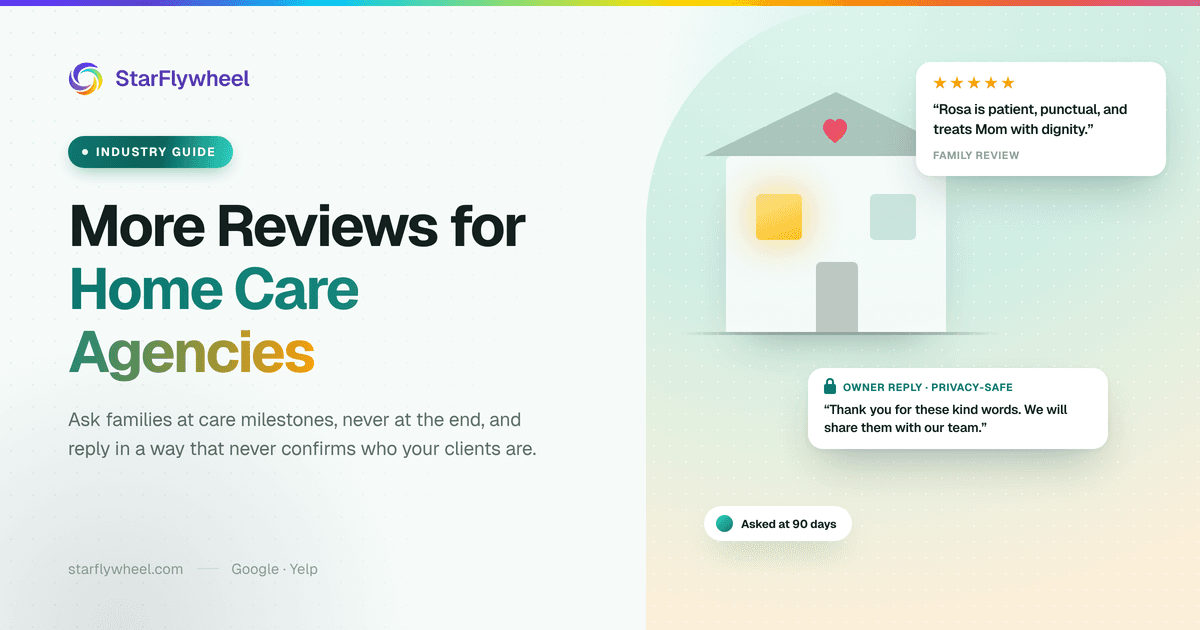
- 90 days in, when the family knows your caregivers and your office well.
- After a care plan review goes well, or a goal in the plan is reached — a client getting back to walking to the mailbox, for example.
Do not wait for the service to end. In home care, it often ends with a hospital stay, a move to a facility, or a death, and none of those is a moment to ask for anything.
2. Never Ask at the End of Life
This deserves its own rule. Never send a review request to a family after a client has died, while a client is in hospice, or during a hospital stay. If a client's situation changes, remove them from any automated campaign right away, and make sure every branch knows to do it. An automated "How are we doing?" email arriving the week of a funeral will undo years of good care.
Some families will want to write about you after a loss, and they will find their way to your profile on their own. Let that be their choice, not your campaign.
3. Ask When a Family Thanks a Caregiver
The best review moment in home care is spontaneous. A daughter calls the office to say Maria has been wonderful with her mother. A son mentions in an email that his dad looks forward to Tuesdays now. That family has just told you what they would write in a review.
Train your office staff to notice those moments and respond warmly, then follow up with a short, personal request:
"Thank you for telling us. We will make sure Maria hears it. If you would be willing to share that on Google, it helps other families find good care."
Tell the caregiver, too. Recognition matters in a job with high turnover.
4. Ask the Family Contact by Email
Send requests to the family member who is your main point of contact, not to the client. Email is the safer default: it is less intrusive, easier to read when it fits their day, and does not carry the same consent requirements as texting, though it still needs a working unsubscribe link.
Only text a family member if they have clearly opted in to receiving texts from you, with a way to opt out. Automated marketing texts need prior consent under the TCPA, and having a phone number for scheduling is not the same thing. Our review request templates include email and SMS versions you can adapt — keep them short and leave out anything about the care.
5. Make Caregivers Part of It
Families name caregivers in reviews all the time, and those reviews are the most persuasive ones on your profile. "Rosa is patient, punctual, and treats my mother with dignity" says more than any ad. Share those reviews with your caregivers and at team meetings.
Two cautions. Do not name caregivers in your review requests or ask families to mention them — Google's contribution policy, tightened in 2026, prohibits requesting reviews that identify a staff member; let families bring them up on their own, and ask caregivers before you share a review that names them, using first names only. And never let caregivers ask families for reviews during a shift — it puts the family in an awkward spot and blurs the line between care and marketing. The ask comes from the office.
6. Keep It Clean: No Incentives, No Filtering
Do not offer discounts, gift cards, or extra hours in exchange for reviews; Google prohibits incentives. And do not send review requests only to the families you expect to be happy while sending everyone else to a private survey. That is review gating, and Google does not allow it either. Ask every family at the same milestones and let them say what they think.
7. Use QR Codes in the Office and the Welcome Packet
If families visit your office for intake or meetings, a QR code at the front desk gives them an easy path. You can also include a card with a QR code in the welcome packet or the 90-day check-in materials. Do not place review QR codes in a client's home — that is their space, not your marketing channel. Our guide to the Google review QR code covers printing and placement.
Responding to Complaints About Missed Shifts and Turnover
The most common negative review in home care sounds like this: "Caregivers kept changing, and twice nobody showed up at all." It is often fair. And it is the review a careful family reads most closely, because it describes exactly what they are afraid of.
Your reply has to do two things at once: take the concern seriously, and say nothing that confirms the reviewer's family member is a client. A reply that works:
"Thank you for sharing this. Consistent, reliable care is the most important thing we provide, and missed or changed visits are never acceptable to us. We do not discuss anyone's care in a public forum, but we would like to talk with you directly. Please call [manager name] at [phone]."
It does not say "your mother," "your father's schedule," or "when we cared for your husband." It does not explain that the caregiver was out sick. It does not argue. A family reading it sees an agency that owns the problem and protects privacy — which is exactly what they want for their own parent.
Then fix the problem the review described. If the same complaint shows up across several reviews, it is an operations issue, not a reputation issue. Our guide on responding to negative reviews has more templates. If you use AI-drafted review responses, read every draft for anything that confirms a client relationship or care detail before you post it.
Positive reviews need the same care. "Thank you so much — we are so glad your mom is doing better!" confirms a client and a health detail in one line. "Thank you for these kind words. We will share them with our team" says what you mean and nothing more.
Agencies With Several Branches
Many home care agencies serve a region from several offices, and families search locally. Each branch should have its own Google profile, its own review link, and its own requests, so a family's review lands on the office that actually served them.
- Check each branch separately. One office with staffing problems can hide behind a good overall average.
- Use one privacy policy everywhere. Every branch manager who replies to reviews should follow the same written rules.
- Send referral sources to the right branch. When a discharge planner looks you up, the closest office's reviews are the ones they see.
StarFlywheel supports multiple locations on Standard (up to 3), Growth (up to 5), and Pro (up to 10), with per-location review links and QR codes, and it monitors Google reviews for each one. Email and SMS campaigns can enroll new clients' family contacts automatically, and on Growth and Pro, segments let you send different requests by branch or by care milestone. Our guide to multi-location review management walks through the setup.
Start This Week
Keep the first step small:
- Write a one-page review reply policy: never confirm a client, never mention care details, take specifics offline.
- Set up one email request that goes to the family contact at 90 days, with one neutral question and nothing else — no caregiver names, nothing about the care.
- Agree on how your office removes a family from requests the moment a client is hospitalized, enters hospice, or passes away.
The families you serve are often deeply grateful, and most of them have never been asked to say so. For more on timing and wording, see the best way to ask customers for reviews. If you serve other family decision-makers, our guide to driving school reviews covers asking parents rather than the person who received the service.
Ready to grow your home care agency's reviews?
StarFlywheel sends families to the review platforms that matter to you and tracks your Google reviews automatically — free to start, paid plans from $9/month.
Ready to grow your reviews?
Start building your review flywheel today. Free plan available, no credit card required.
Start Free